

Features
App screenshots
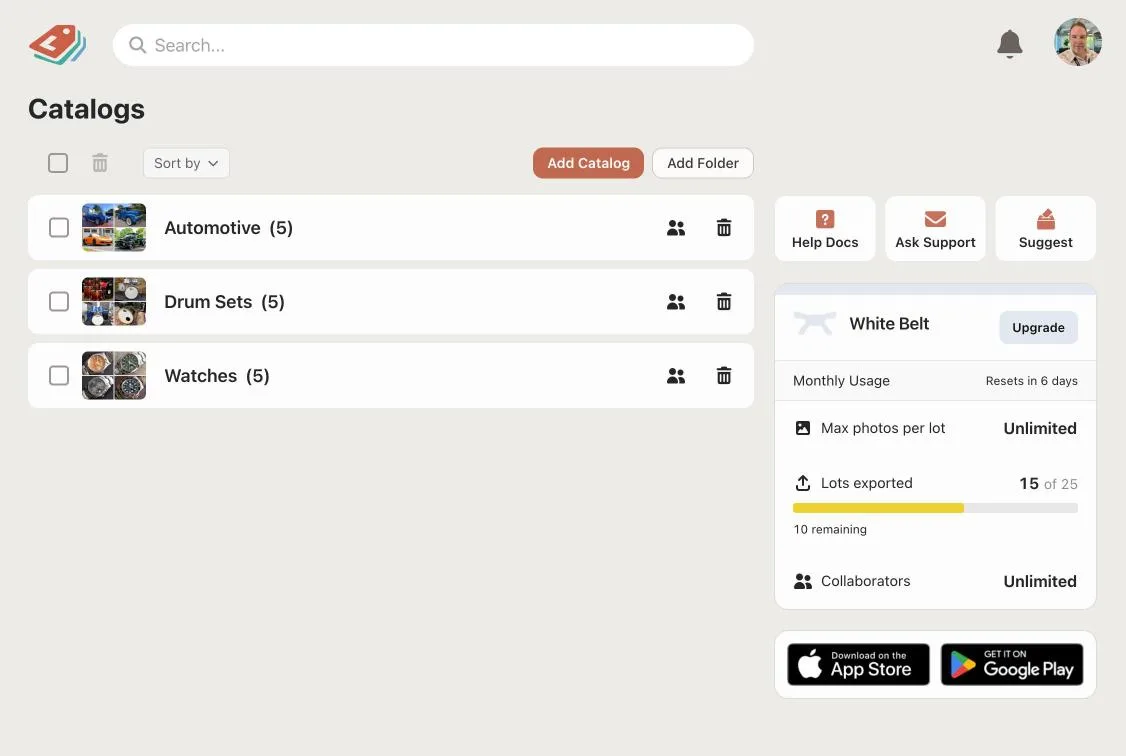
Dashboard
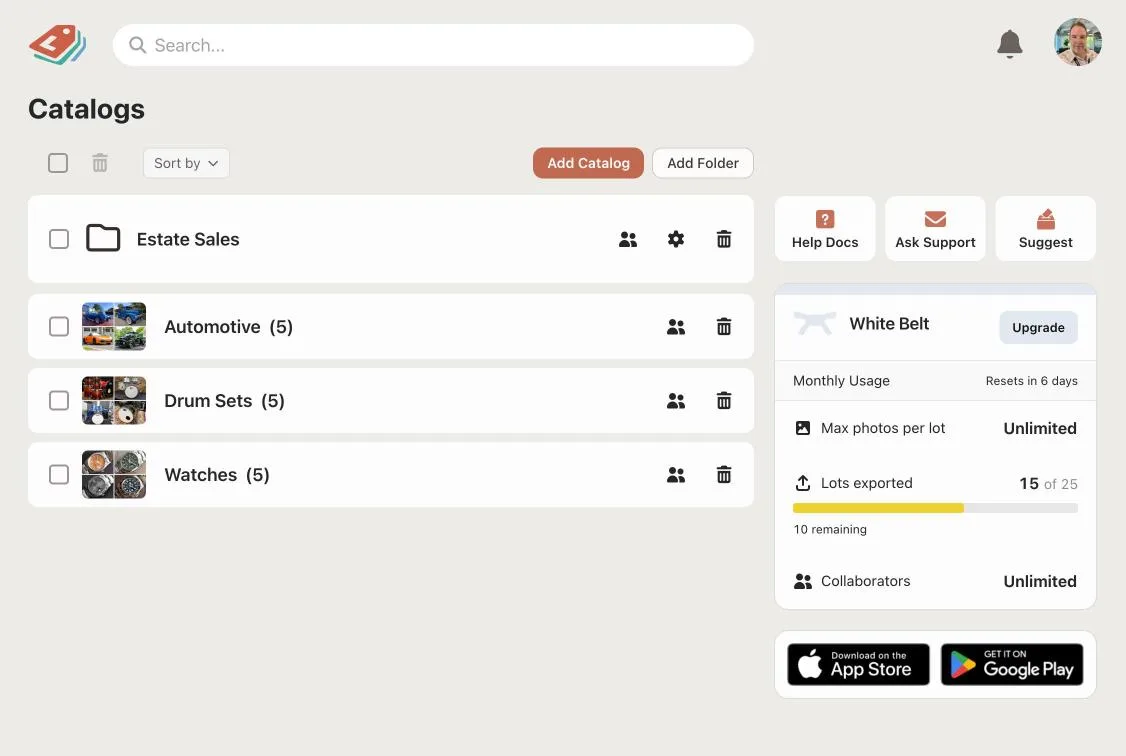
Your folders and catalogs, arranged like a file explorer. Open the sale you are working on and pick up where you left off.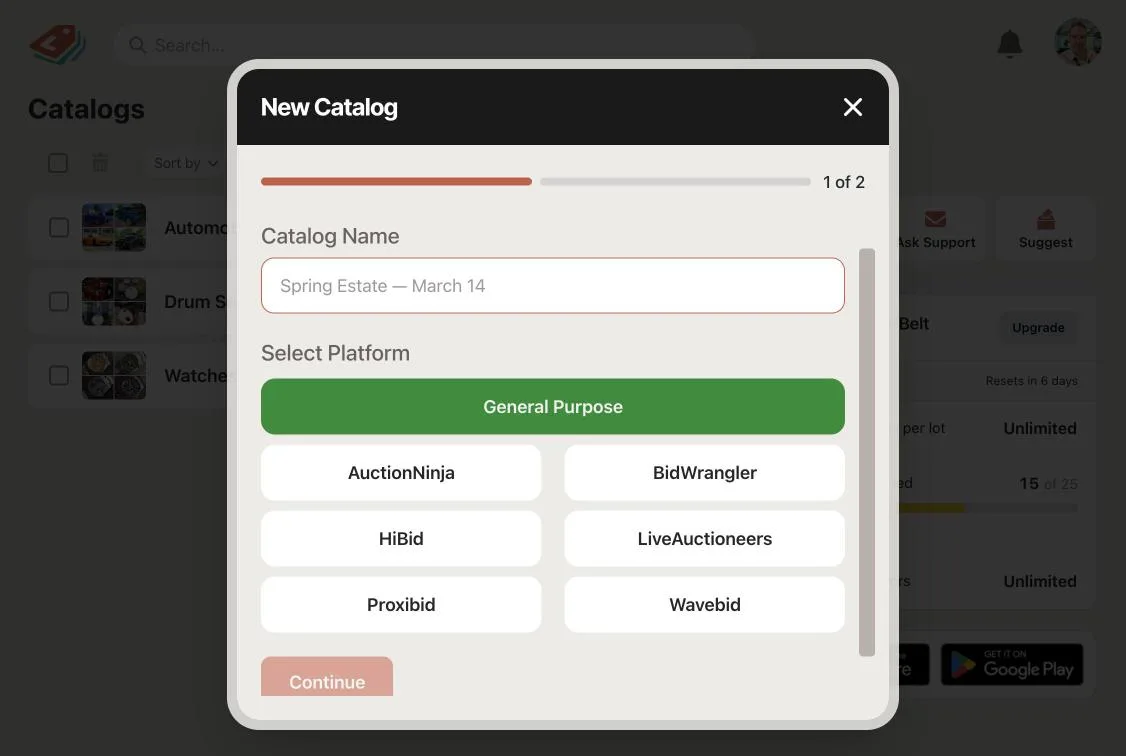
Create Catalog
Name the sale, choose the platform it is going to, and decide which fields it collects and which ones LotJitsu may write.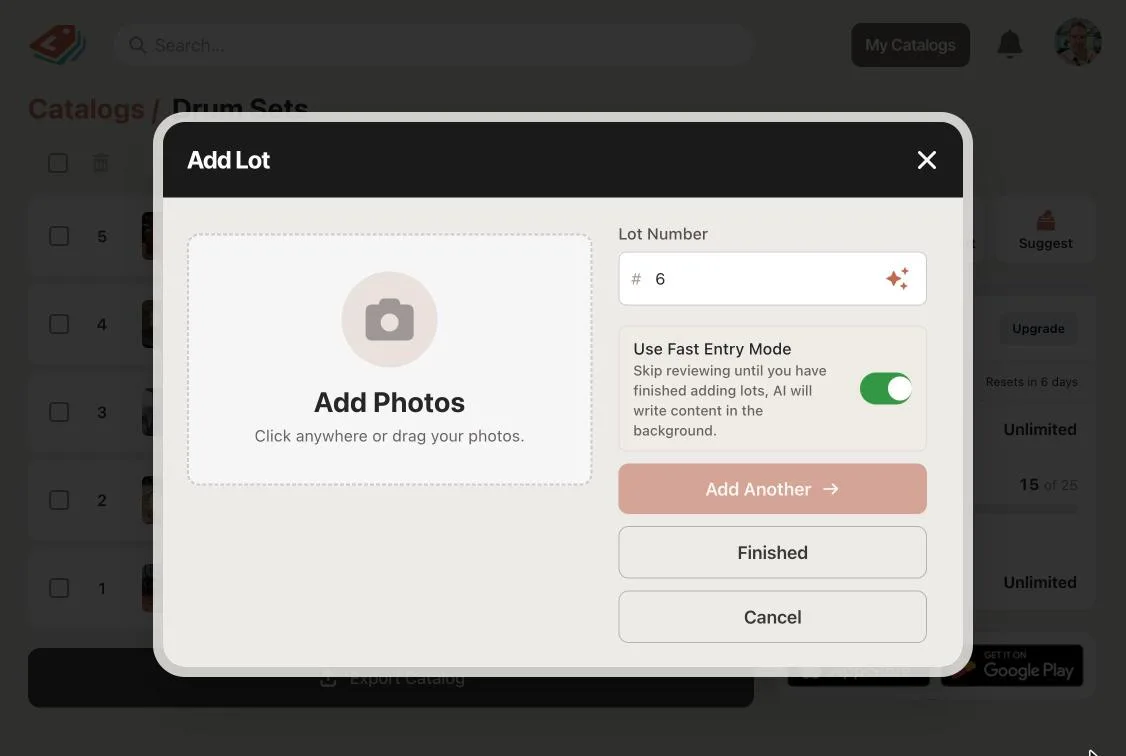
Add Photos
Photograph the lot on your phone or upload your images. Choose which photo leads the lot and set the lot number.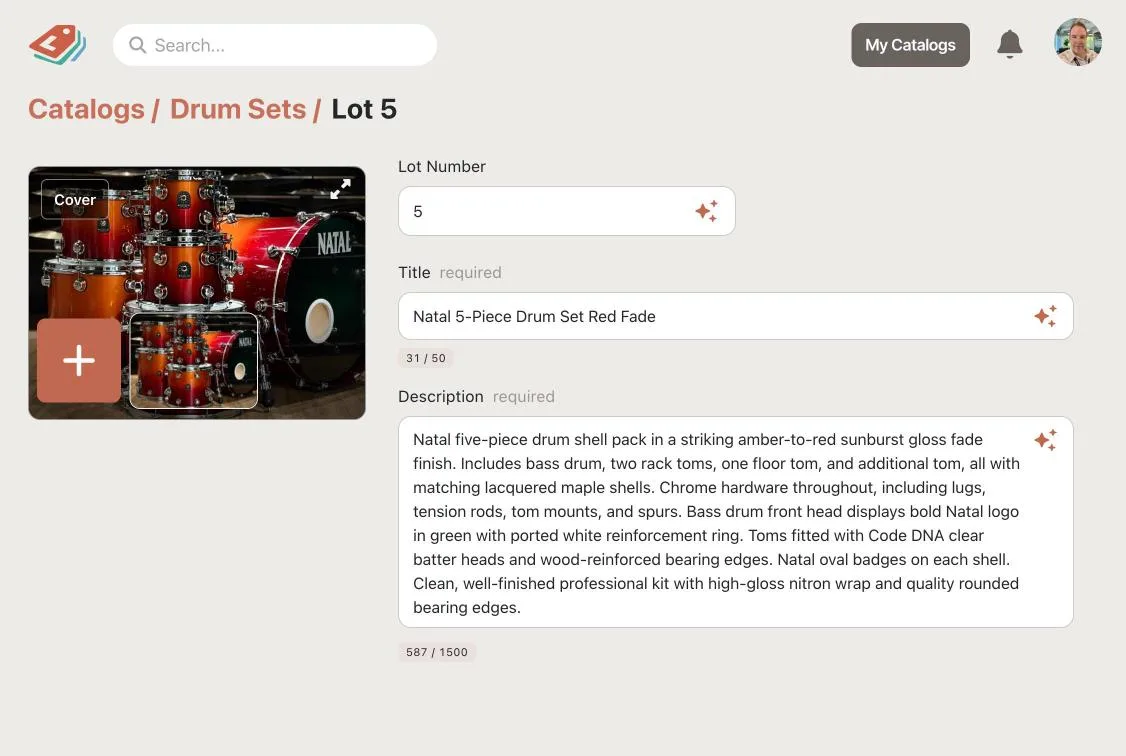
AI Generation
LotJitsu reads the lot's photos together and drafts the title and description. The draft appears in an editable step, not in your finished catalog.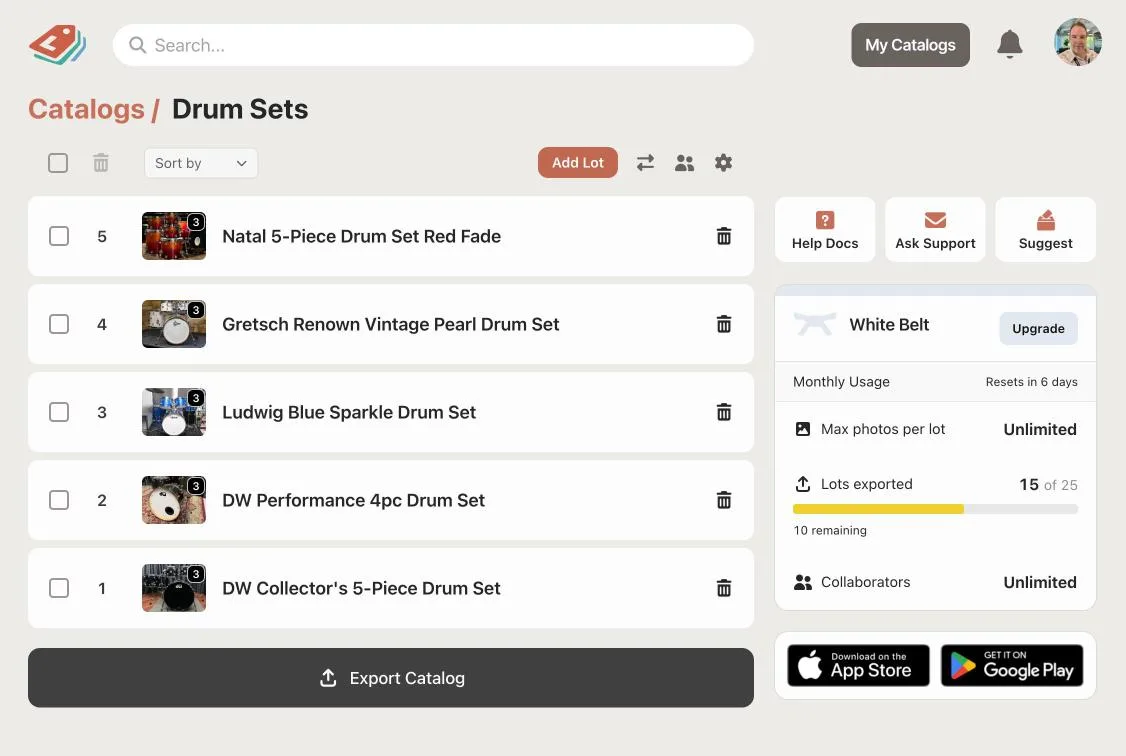
Catalog Page
Every lot in the sale, in order, with its number and cover photo. Open any lot to edit it.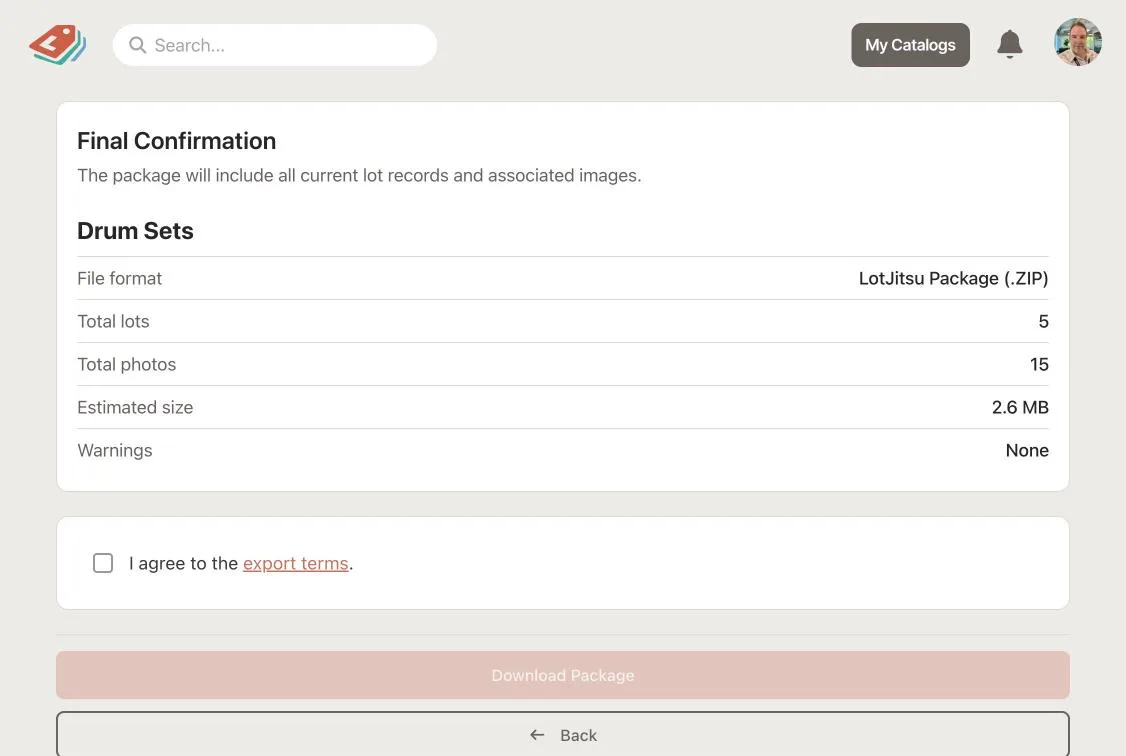
Export
The health check runs and lists anything that would fail on import. Once it is clear, download the ZIP: one spreadsheet plus every photo renamed to your platform's format.LotJitsu analyzes the entire lot, not a single picture
Photograph the lot from different angles. LotJitsu reads up to 15 photos together, as one item, and describes the object in the photographs. In a real test on a vintage drum kit, it produced the title "Vintage Tom & Snare Drum Pair" and a description that called out the 1960s American build, the orange sparkle wrap with its black stripe, the chrome claw-hook lugs, and the bead-rolled snare rim. It then said the maker's badge was not legible, rather than inventing a brand.
Lot numbers, four ways
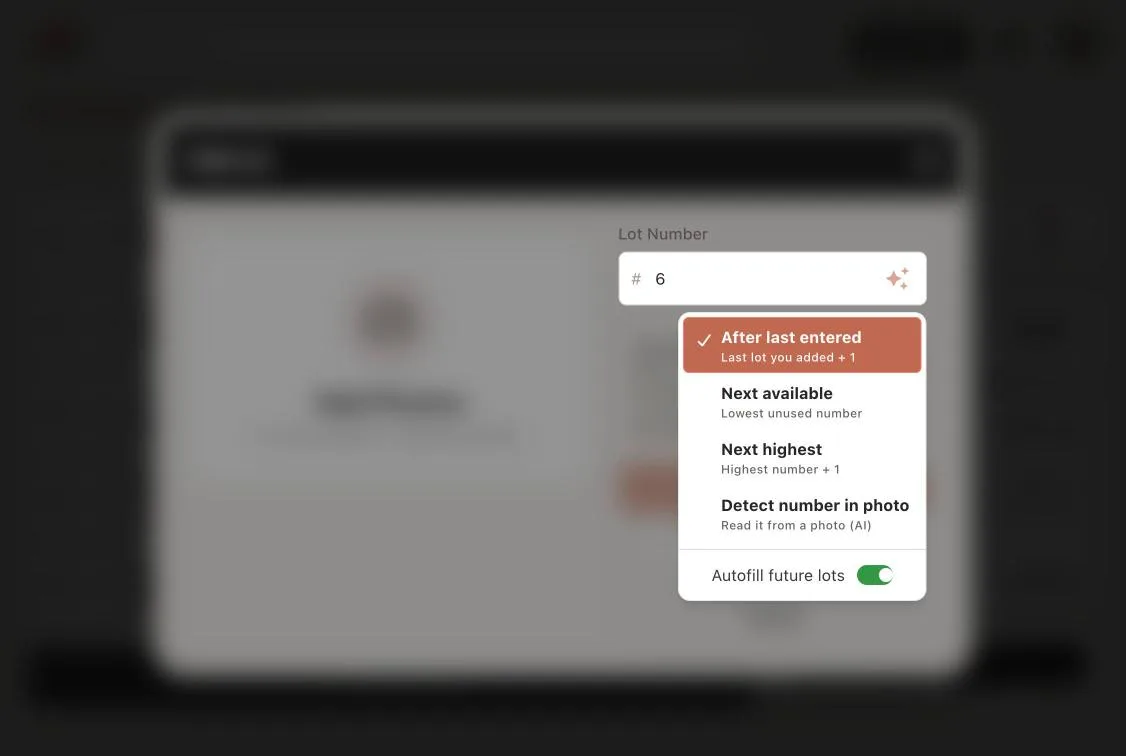
Choose how the next number gets picked and LotJitsu fills it in: continue from the last one you entered, take the lowest unused number, or go to the next highest. If your lots already have numbered stickers, the fourth mode reads the number from the photo. If a read number is already taken, LotJitsu asks for your input before the lot is saved.
Customize your catalog voice
A tool sale and an estate sale are geared for different audiences. Pick a writing style for each catalog from several presets, including Neutral and Factual, Warm and Descriptive, Concise Catalog, and Collector Enthusiast. Every lot is written in the style you chose, and you can always edit to your liking.
Photograph lots with your phone
Install LotJitsu on your iPhone or Android home screen and catalog from your phone. The app uses the camera on your device and location data is stripped from every upload. Choose which photo leads the lot, rotate one that came out sideways, and delete the ones you do not want.
Quality control before you export
Before LotJitsu builds your package, it identifies what would cause trouble on upload: required fields left empty, text too long for the platform, photos not attached to any lot, and lot numbers that clash. It also compares photos across lots to flag possible duplicates. Easily fix potential errors before export.
One package, ready to upload
LotJitsu builds a ZIP with a spreadsheet and photos correctly formatted for your catalog platform. The spreadsheet is written for the catalog software these platforms run on, to ensure all characters are correct for your import. You must download the package and upload it to your catalog platform yourself.
Keep sales organized, and bring in help
Catalogs are organized in folders, so a busy month does not become one long list. When you need help cataloging, share a whole folder of catalogs or share a single catalog, and your team can work on the same catalog. There are two roles, Owner and Collaborator. If something gets deleted during entry, you can restore a folder, a catalog, or a lot for 30 days.
Upload a catalog you already have
If you have an export file, either one of ours or one you exported for another platform, you can import it. LotJitsu reads the spreadsheet and the photos, then prepares the lots for you to review before they join the catalog. This is helpful when unsold lots need to roll into the next sale, or when you want to continue working on a catalog you already exported.
Every plan includes everything
There is no feature held back to push you up a tier. The paid plans buy volume and people, not permission.
- AI writes your title and description from the photos you take of a lot, reading up to 20 of them together as one item from several angles
- Several writing styles, picked per catalog
- Lot numbering four ways, including reading the number off the sticker in your photo
- A pre-flight check before export: missing required fields, values too long for the platform, photos not attached to a lot, numbering conflicts, and probable duplicate lots
- Export packages for HiBid and AuctionFlex and for LiveAuctioneers, plus Proxibid and AuctionNinja
- A spreadsheet written for Windows catalog software, so accented characters import properly instead of turning into garbage
- Install it on your phone, iPad or Android device. The in-app camera works on your phone
- Folders to organize your catalogs, laid out like a file explorer
- Import an existing LotJitsu or HiBid export file back in
- Deleted folders, catalogs and lots are recoverable for 30 days
- Photo location data is stripped from every upload
- Payments are handled by Stripe, so card details never reach our servers
- No commission on your sales
Install the app and get started today.
LotJitsu works seamlessly across mobile and desktop.

