

Add a card, choose which card pays for your plan, rename a card or remove one. You manage cards on lotjitsu.com, on the Payment Methods page or from the Compare Plans page at lotjitsu.com/pricing.
Before you start
- Your first card is saved when you start a paid plan. Until then you have no cards to manage.
- LotJitsu accepts Visa, Mastercard, American Express and Discover.
Open your payment methods
Either:
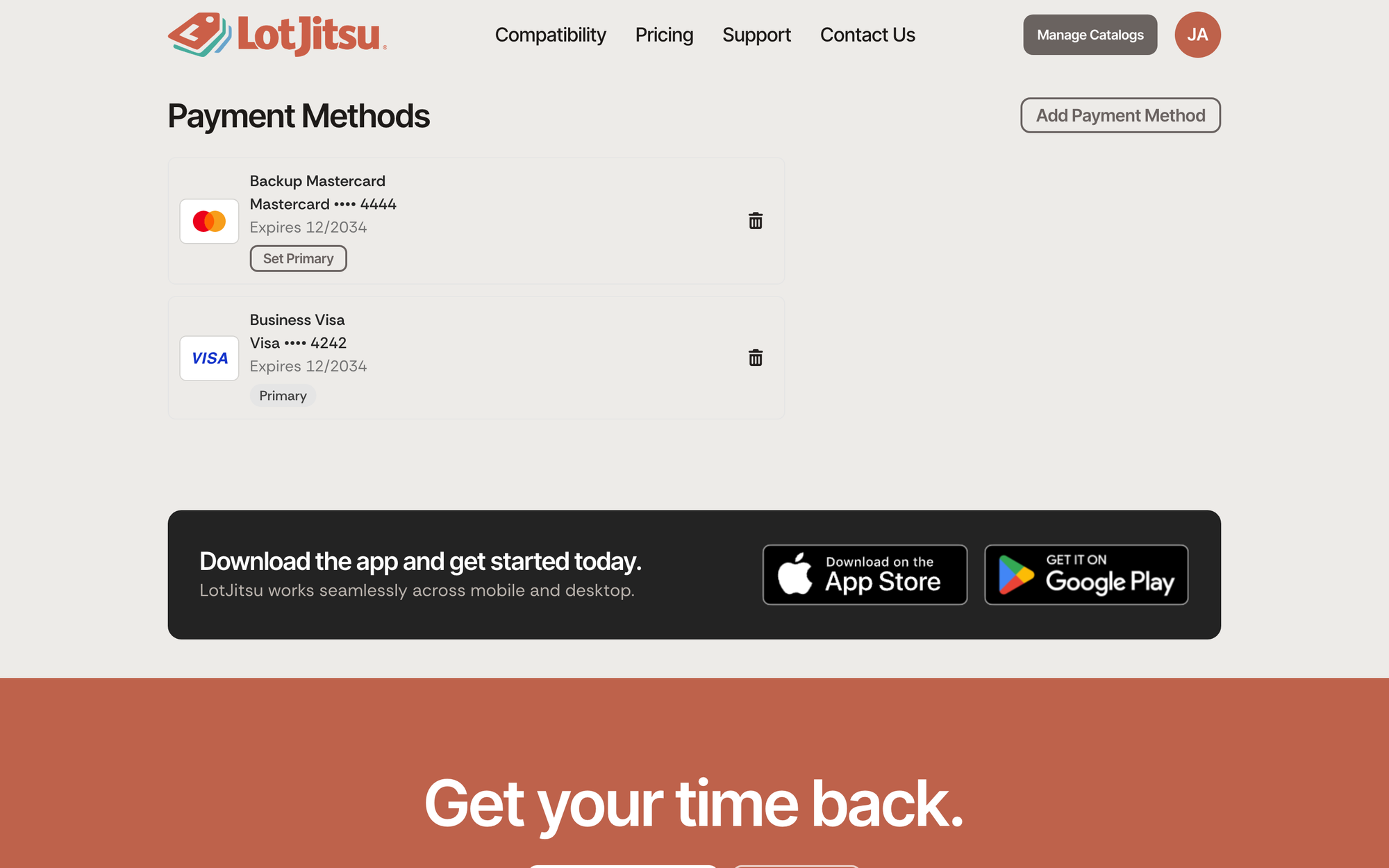
- Log in on lotjitsu.com, open your account menu (your picture or initials at the top right) and click Payment Methods. The Payment Methods page opens.
- Or, on lotjitsu.com/pricing, click the Payment Methods button beside Compare Plans. It appears once you have a saved card.
Each card shows its name, its brand and last four digits, and Expires with the month and year. The card that pays for your plan is marked Primary.
Add a card
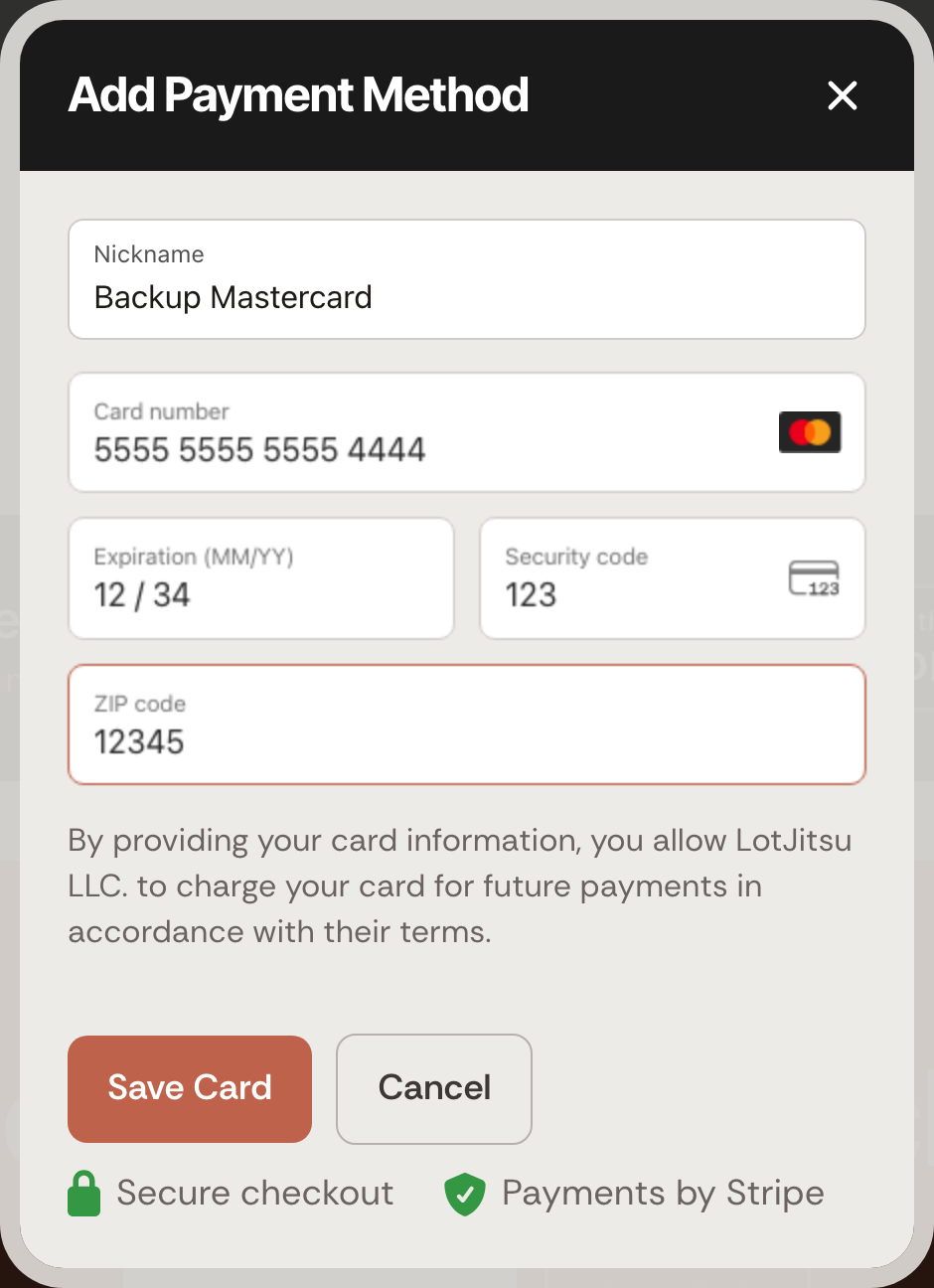
- On the Payment Methods page, click Add Payment Method. (In the window on lotjitsu.com/pricing, click Add Card.)
- Type a Nickname for the card, for example "Business Amex".
- Enter the card number, expiry date and security code.
- Click Save Card. The button reads Saving... while the card is checked.
Adding a card does not charge it and does not make it your Primary card.
Choose the card that pays for your plan
- Find the card you want.
- Click Set Primary under it.
The line Primary payment method updated confirms it. Your next renewal charges that card. Nothing is charged when you switch.
Rename a card
- Click the card. Card Details opens, showing the card number and expiry date.
- Change the Nickname.
- Click Save.
You can change only the nickname. To use a new card number or expiry date, add the card as a new card.
Remove a card
- Click the trash can beside the card.
- The window asks Are you sure? and says This payment method will be removed from your account.
- Click Remove.
The line Payment method removed confirms it.
You cannot remove the card that pays for your current plan. Trying shows This card pays for your current plan. Make another card the primary card first. Click Set Primary on another card, then remove the old one.
Replace an expiring card
- Add the new card.
- Click Set Primary on it.
- Remove the old card.
Do this before your renewal date. A renewal payment that fails ends your paid plan straight away. See When a payment fails.
Good to know
- When you upgrade, the card you pay with becomes your Primary card. See Upgrade your plan.
- Payments are handled by Stripe. Your card details never reach LotJitsu's servers.
- If you are not logged in, the Payment Methods page says Log in to see your payment methods. Click Log In.
- With no cards saved, the list reads No payment methods saved yet.
- If a card cannot be saved, the window shows your bank's reason or The card could not be saved. Check the details or try another card.
- You cannot manage cards in the LotJitsu app or in LotJitsu on your computer. On your computer, Payment Methods in the user menu opens this page on lotjitsu.com.

