

The Monthly Usage card shows your plan and how much of it you have used this period: exported lots, collaborators and the photo limit per lot.
Using your phone? See Check your usage in the app (Account Usage).
Steps
- Open LotJitsu on your computer and go to the Catalogs page, or open any catalog.
- Look at the panel on the right, below the Support card.
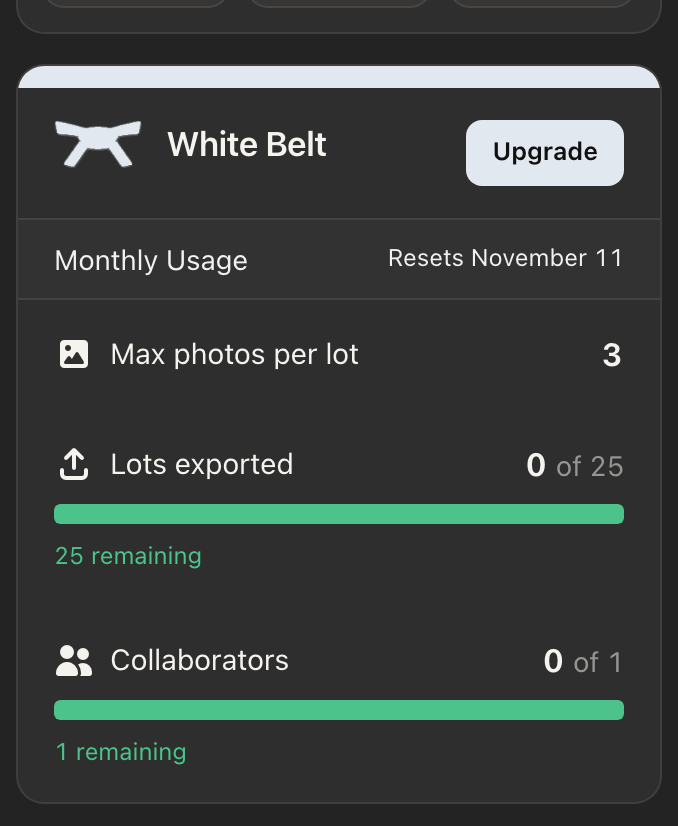
The card appears only on the Catalogs page and on a catalog's page.
What you see
- Your belt, for example Green Belt.
- Monthly Usage and when your allowance resets: Resets today, Resets in and a number of days (within a week), or Resets and a date.
- Max photos per lot: the most photos one lot can hold on your plan.
- Lots exported: lots exported this period out of your allowance, for example 12 of 500, with the number remaining under it. When none are left it reads No exports remaining. Upgrade to keep going, or wait for the reset.
- Collaborators: people you share with, inside your limit. When your limit is reached it reads Limit reached and names the next belt up and its limit.
The bars show what is left. They are green, turn orange once you have used 35%, and red from 75%.
Change your plan
Click Upgrade on the card. The Compare Plans page at lotjitsu.com/pricing opens. See Upgrade your plan. Black Belt is the highest plan, so its card has no Upgrade button.
You can also open My Plan from the user menu (your picture at the top right).
The banner at the top of the page
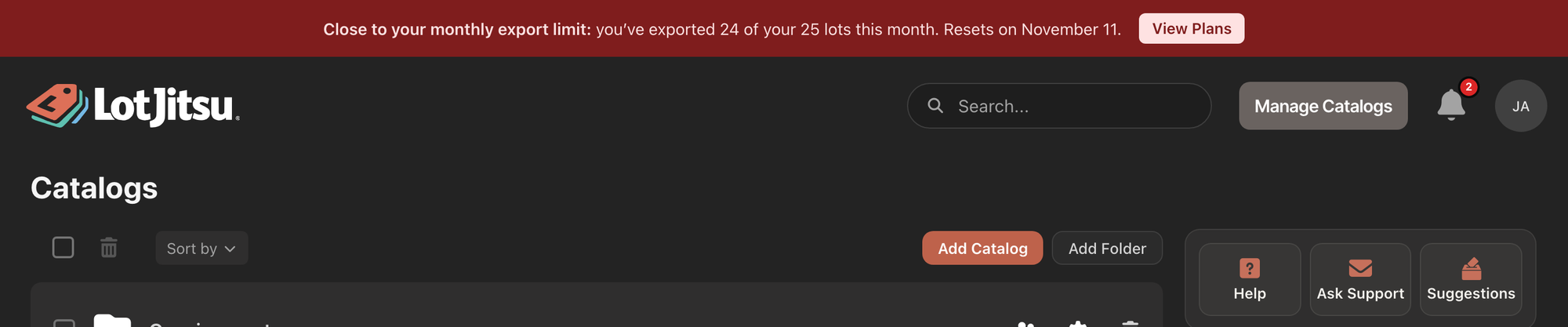
- At 80% of your allowance, a red banner appears above the header on every page: Close to your monthly export limit: with the numbers and the reset date, and a View Plans button.
- At 100% it reads You've reached your monthly export limit, says when new or changed lots can be exported again, and has an Upgrade Plan button.
Both buttons open lotjitsu.com/pricing. The banner cannot be dismissed. It goes away at the reset or when you move to a larger plan.
Good to know
- Exporting is the only thing that uses your allowance. See Your monthly export allowance.
- Reset dates use the timezone in your settings.
- You also get an email and an Alert (under the bell) when you pass 80% and when you reach 100%, once each per period.

