

LotJitsu runs in your web browser at app.lotjitsu.com. Nothing needs installing, but you can add it to your Dock or taskbar so it opens in its own window like your other desktop applications.
Using a phone? See Get the LotJitsu app on your iPhone or iPad.
Open LotJitsu
- Go to lotjitsu.com and click Log In at the top right.
- Enter your Email and Password and click Log In. See Log in on lotjitsu.com.
- Click Manage Catalogs to open your catalogs.
If you go to app.lotjitsu.com while logged out, LotJitsu sends you to the Log In window on lotjitsu.com.
Install it (optional)
Installing adds a LotJitsu icon to your Dock, taskbar or applications list and opens LotJitsu in its own window. You stay logged in.
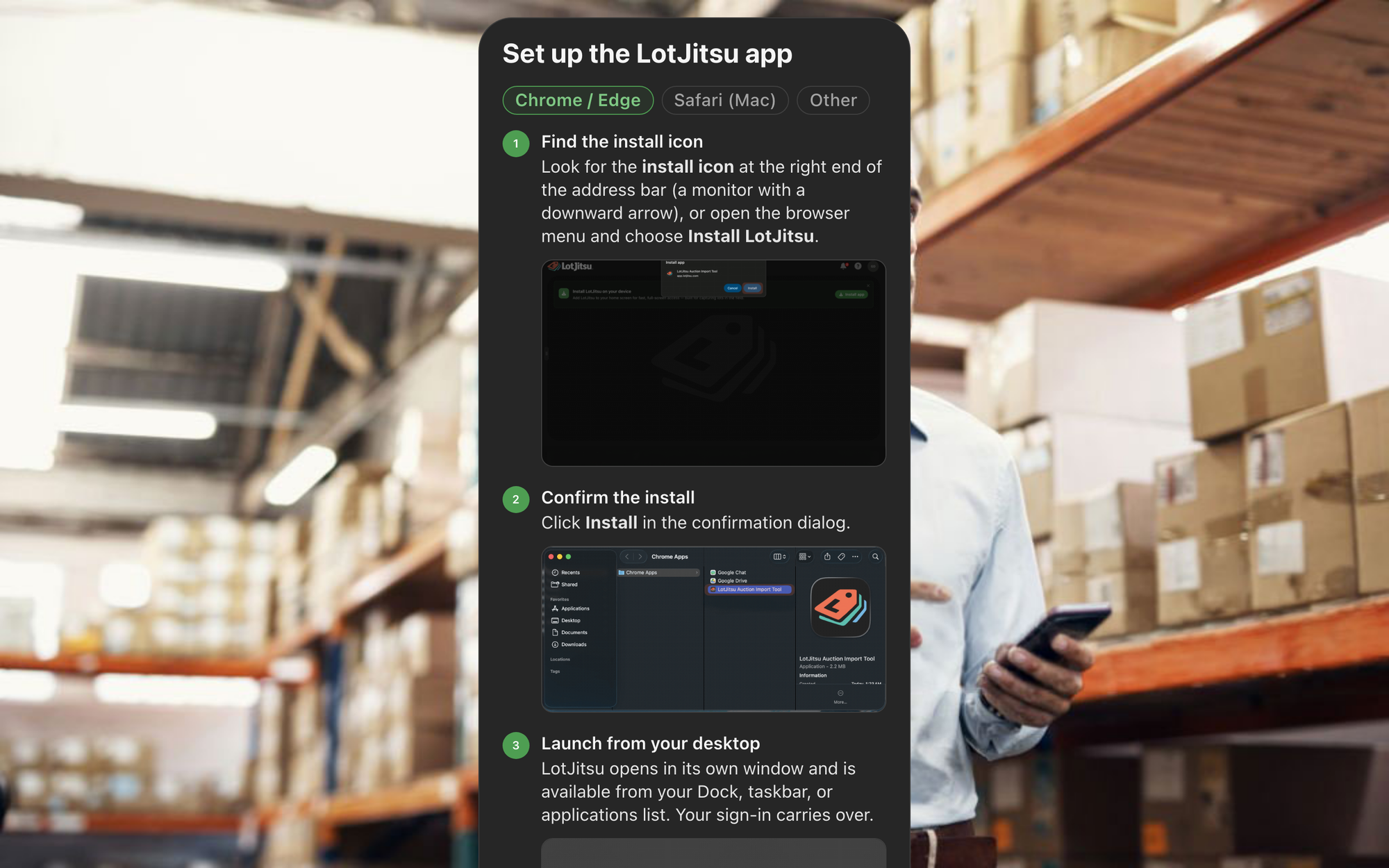
Chrome or Edge
- Open app.lotjitsu.com while logged in.
- In the green Install LotJitsu on your computer band above the header, click Install app. If there is no band, click the install icon at the right end of the address bar, or open the browser menu and choose Install LotJitsu.
- Click Install in the browser's dialog.
Safari on a Mac
- Open app.lotjitsu.com in Safari while logged in.
- In Safari's menu bar, open File.
- Choose Add to Dock…, review the name, and click Add.
- Open LotJitsu from your Dock or Launchpad.
Add to Dock needs macOS Sonoma or newer.
Other browsers
Firefox and other browsers can't install LotJitsu. Keep using it in a tab, or install it with Chrome, Edge or Safari.
The install page
The same steps are at app.lotjitsu.com/install-app, titled Set up the LotJitsu app, with a tab for Chrome / Edge, Safari (Mac) and Other. It opens on the tab for your browser.
Good to know
- The install band appears only in a browser that can install LotJitsu, and only after the Quick Start Guide is finished or skipped. Dismiss hides it in that browser.
- Removing the installed app removes only the window and icon. Your work stays in your account.
- LotJitsu on a computer needs a window at least 800 pixels wide. A narrower window shows a Download the App page. Widen the window to continue.
- Use a current version of Chrome, Safari, Edge or Firefox.

