

The Settings page in the app holds haptic feedback, your timezone, the usage analytics switch, the LotJitsu line on lot descriptions, and the controls to download your data or delete your account. Each setting saves as soon as you change it.
Using a computer? See Settings on your computer: timezone, privacy.
Open Settings
- Tap your photo or initial at the top right.
- Tap Settings in the account panel.
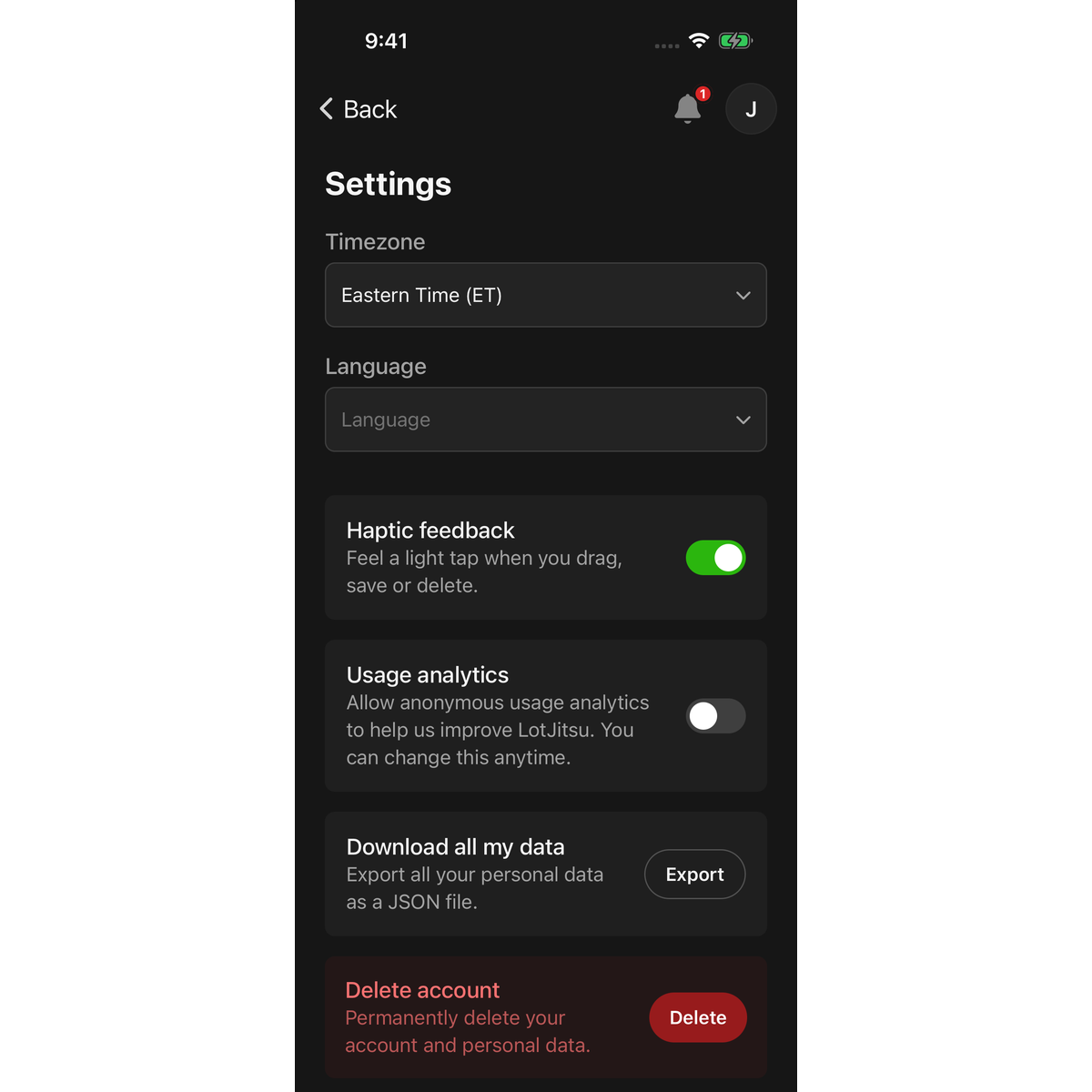
Haptic feedback
Haptic feedback turns the app's light taps on or off: "Feel a light tap when you drag, save or delete." This setting belongs to this phone only, and works without a connection. Your phone's own settings, such as Low Power Mode or system haptics turned off, can still keep it quiet.
Timezone
Tap Timezone to pick the zone every date and time is shown in. The choices match LotJitsu on your computer, from Eastern Time (ET) to Australian Eastern Time (AET). Until a zone is set, LotJitsu uses your phone's zone.
Your timezone is part of your account, so it follows you to your computer. Changing it needs a connection.
Usage analytics
The Usage analytics switch reads "Allow anonymous usage analytics to help us improve LotJitsu. You can change this anytime." It is the same choice as on your computer.
The LotJitsu line on lot descriptions
The Add 'Created using the LotJitsu App' to lot descriptions switch decides whether your export packages end each lot description with a LotJitsu line: "Catalog created using the LotJitsu App" on a General Purpose catalog, or "Auction catalog created using the LotJitsu App" on a catalog set to an auction platform. Only the account owner sees it, and it is the same choice as on your computer.
- On the free White Belt plan the line is always added, and the switch shows on and can't be changed.
- On a paid plan the line is off unless you turn it on.
- Changing your plan puts the switch back to that plan's starting setting.
- The line is added only to the package. Your lots never change.
Your data and your account
- Download all my data: tap Export. See Download a copy of your data.
- Delete account: tap Delete. See Delete your account in the app.
Good to know
- Without a connection, the Usage analytics, LotJitsu line, Download all my data and Delete account cards are hidden. Reconnect and open Settings again.
- The app's version number is shown at the bottom of the page. Support may ask for it.
- Notification choices are on their own page. See Alerts and notifications in the app.

