

A new LotJitsu account must verify its email address before it can log in. LotJitsu sends a link when you sign up. Opening it activates your account and logs you in.
Verify your address
- Open the email from LotJitsu with the subject "Verify your email address".
- Click or tap Verify Email.
Where the link opens depends on the device:
| You open the link on | What happens |
|---|---|
| A computer | LotJitsu opens in your browser, shows "Verifying your email…", logs you in and opens Catalogs. |
| A phone with the LotJitsu app | The app opens, verifies your address, logs you in and opens Catalogs. |
| A phone without the app | The browser shows the Download the App page. Install the app, then log in. |
If the email doesn't arrive
- Check your spam or junk folder.
- Ask for a new one. On the Check Your Email window after signing up, click or tap Resend Verification Email.
- If you closed that window, try to log in:
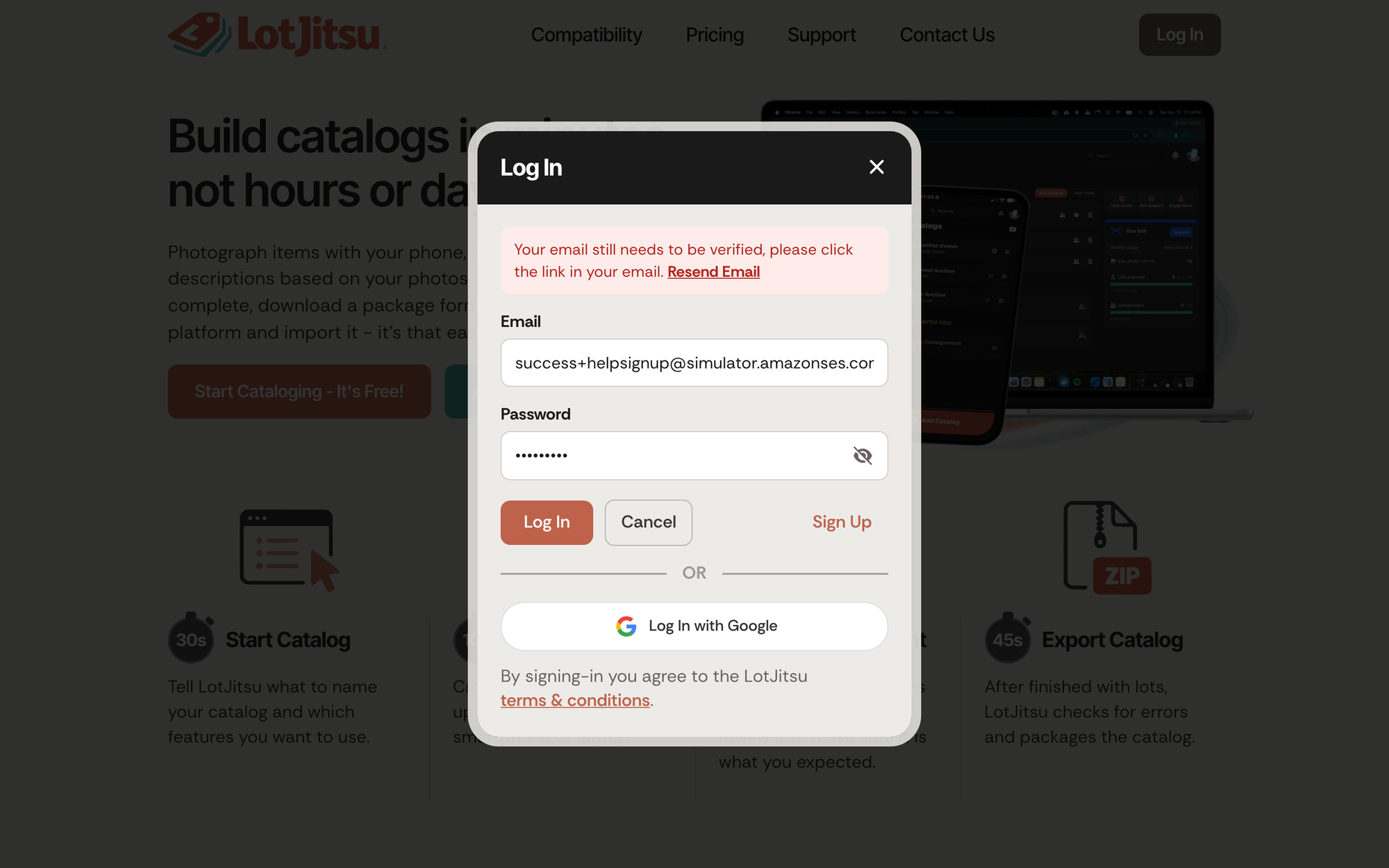
- On lotjitsu.com the Log In window says "Your email still needs to be verified, please click the link in your email." Click Resend Email.
- In the app, a Verify your email panel appears. Tap Resend Verification Email.
After a resend on lotjitsu.com, the button gives way to "Sent - check your inbox." and a short countdown before you can send again. In the app, the button is replaced by a line saying a new link is on its way.
If the link doesn't work
- Expired: a link lasts 24 hours. On a computer the page reads Verification failed and lets you request a new link. In the app, the screen reads "We couldn't verify that link". Tap Back to Log In, log in, and resend from the panel.
- Already used: the page reads Link already used. If you used it yourself, you are already verified. Just log in.
- Several emails: using any one link verifies the account and makes the others stop working. Use the newest email if in doubt.
Good to know
- You can't reset the password of an address that has never been verified. LotJitsu says "We cannot reset the password for an email address that has not been verified. Resend verification now." Verify first.
- Signed up with Apple or Google? Those accounts don't need this step.
- Didn't sign up? Ignore the email. It also has a link, "Stop emails to this address.", at the bottom.
- A few hours after you verify, LotJitsu may email "Install LotJitsu on your mobile device" with a Start App Setup button.

