

Using the LotJitsu app? See Change catalog settings on your phone.
Catalog Settings holds everything you chose when you created the catalog, plus Include Condition. Use it to rename the catalog, switch platform, change which fields are collected and written, or delete the catalog.
Open Catalog Settings
- Open the catalog.
- Click the gear (Catalog settings) at the right of the catalog's name. The Catalog Settings window opens.
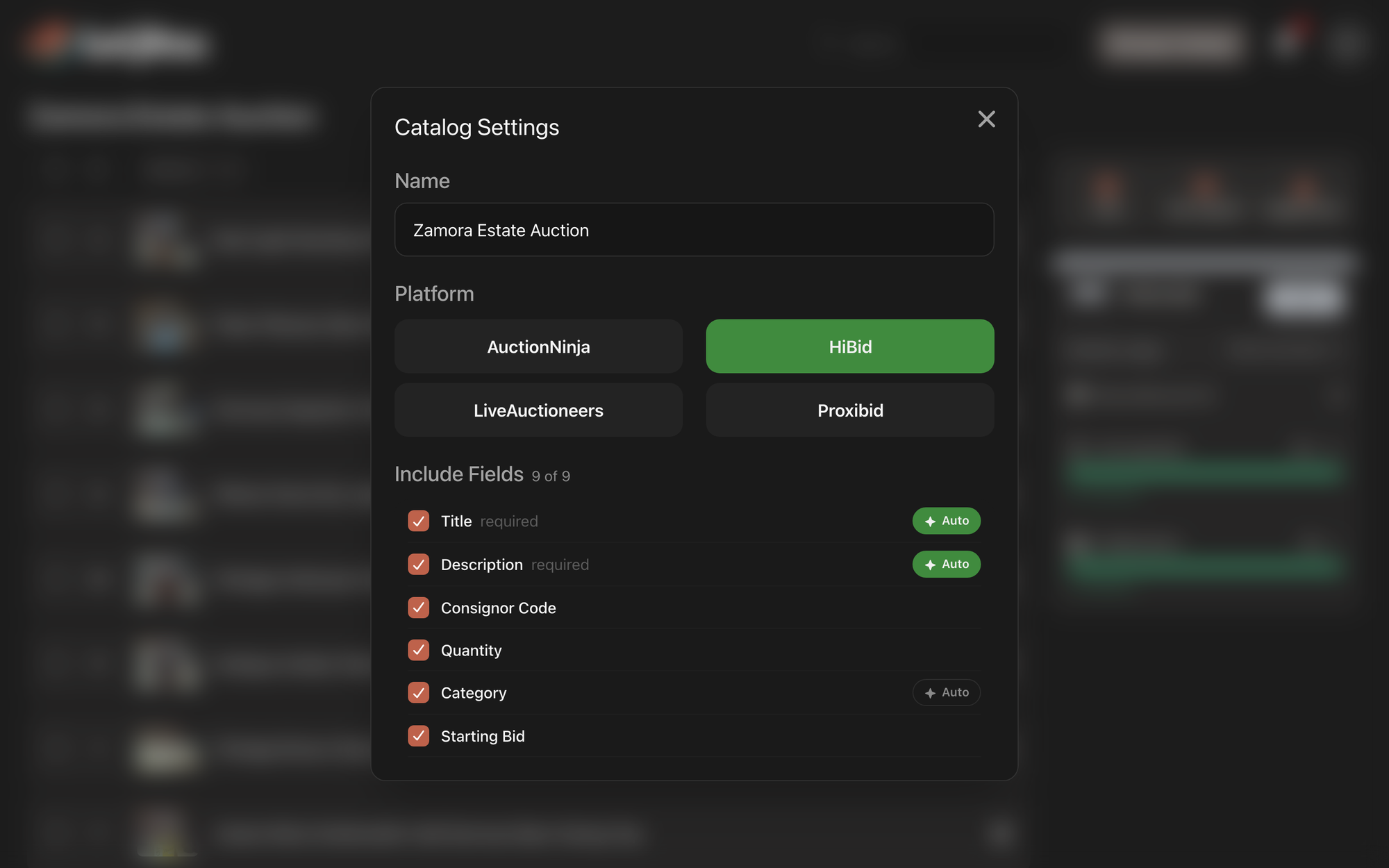
What you can change
From top to bottom:
- Name: the catalog's name, up to 200 characters.
- Platform: the platform you will upload to. See "Changing the platform" in Choose a platform and fields.
- Include Fields: which fields each lot collects, and which are written for you (Auto). The count beside the heading shows how many are ticked.
- Automated Writing Style: the tone of the text LotJitsu writes. Shown while at least one field is Auto.
- Use Rich-text (HTML) formatting: formatted or plain descriptions. Not shown for HiBid.
- Include Condition: whether descriptions include a condition assessment.
What the writing settings do: How LotJitsu writes your listings.
Save or cancel
Nothing changes until you click Save. Cancel, the close button, the Esc key, or a click outside the window throws away your changes. If a save fails, the window stays open with your changes and a message says what went wrong.
Rename a catalog quickly
Double-click the catalog's name, either at the top of the catalog page or on its row on the Catalogs page. The hint Double-click to edit appears when you point at it. Type the new name, then press Enter or click away to save. Press Esc to keep the old name.
Good to know
- Anyone who can open the catalog can change its settings, including collaborators.
- Delete at the bottom of the window deletes the whole catalog and its lots, after a confirmation. Only the catalog's Owner can delete it; for anyone else it fails with Could not delete catalog. See Delete catalogs, folders and lots on your computer.
- Two catalogs in the same folder, or two at the top level, cannot share a name. A taken name shows "A catalog with that name already exists".
- Settings changes apply to new writing only. Text already on your lots stays as it is.

