

Using the LotJitsu app? See Restore something you deleted, on your phone.
A deleted folder, catalog or lot is kept for 30 days. Until then you can put it back, exactly where it was, from the Activity Log on your History page.
Steps
- Click your profile picture at the top right of the header.
- Click History.
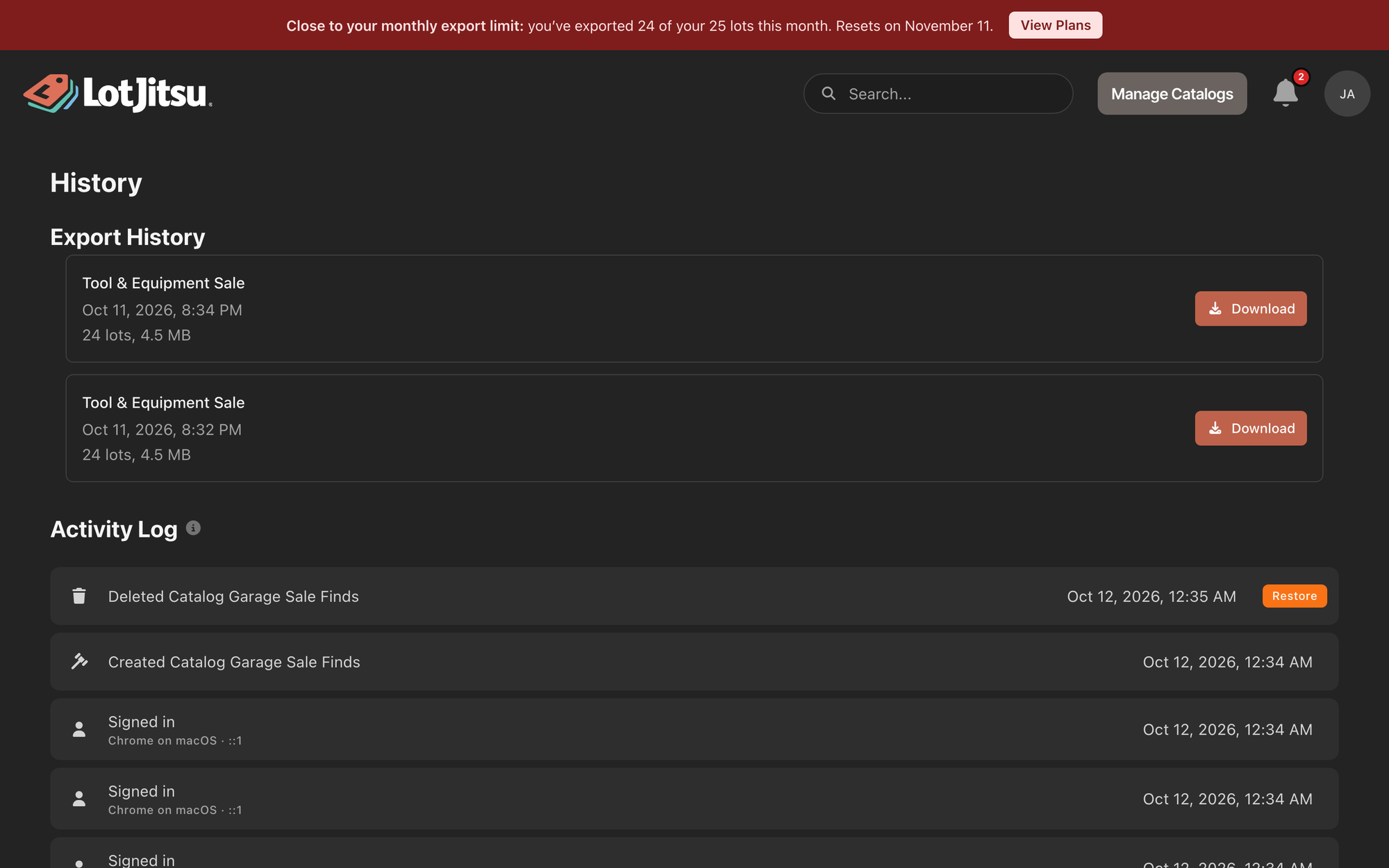
- Scroll down to Activity Log, below your exports. Click Load more at the bottom to see older entries.
- Find the entry for the deletion. It starts with Deleted, for example "Deleted Catalog Vintage Toy Collection" or "Deleted Lot #12", with the date and time on the right.
- Click Restore on that entry.
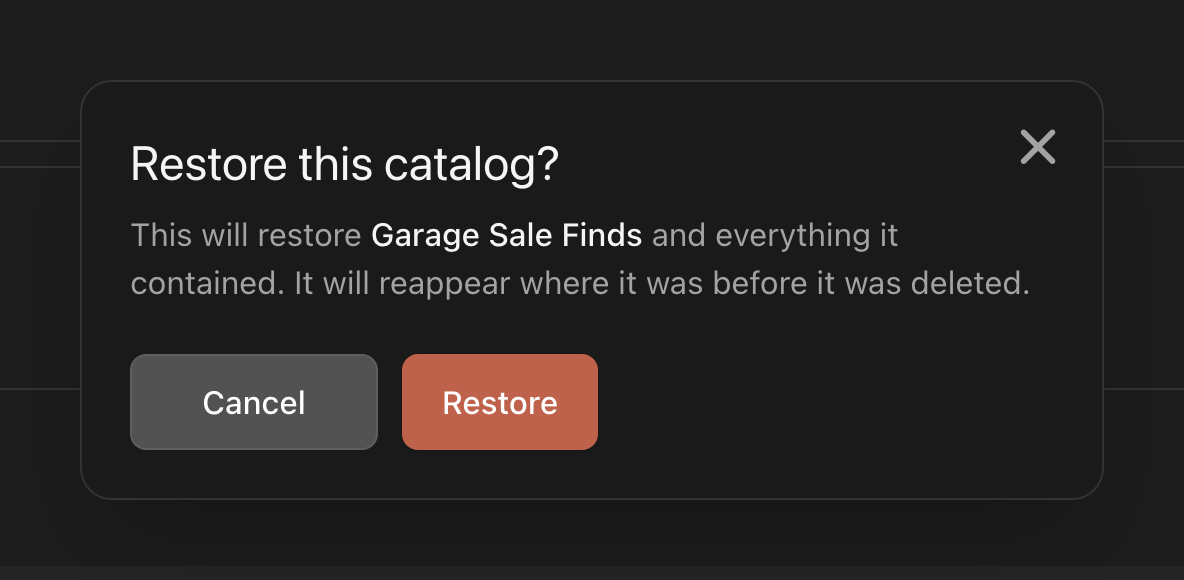
- A confirmation opens, titled Restore this catalog? (or Restore this lot? or Restore this Folder?). It names the item, for example "This will restore Vintage Toy Collection and everything it contained," and adds "It will reappear where it was before it was deleted." Click Restore, or Cancel to leave it deleted. Restored. confirms it.
What comes back
- A folder returns with the catalogs deleted with it, their lots and photos.
- A catalog returns to the same folder, or the top level, with its lots and photos.
- A lot returns to its catalog with its photos. If its lot number was taken in the meantime, it gets the next free number.
Who can restore
- A folder or catalog: its Owner.
- A lot: anyone who can work in the catalog, from their own Activity Log.
The Activity Log lists only your own actions. If someone else deleted the item, ask them to restore it.
If a restore fails
- Couldn’t restore - the name is already in use. Rename the existing one first. Another folder in the same place now has that name. Rename it, then try again.
- Couldn’t restore - please try again. Common causes: the folder or catalog it belonged to is still deleted (restore that first); a catalog with the same name now exists in the same place (rename the existing one); or more than 30 days have passed, and the item is gone for good.
Good to know
- The info icon beside Activity Log explains what the log holds.
- The Restore button stays on an entry after you use it. Clicking it again shows an error; the item is already back.
- Restoring a catalog does not change its export packages. They stay under Export History whether the catalog is deleted or not.

