

If you scheduled a move to a lower belt, or ended your paid plan, you can undo it any time before the change date. Your plan then carries on renewing as before. Nothing is charged when you undo.
Steps: undo a downgrade to a lower paid belt
Log in on lotjitsu.com and go to lotjitsu.com/pricing (or click My Plan in your account menu).
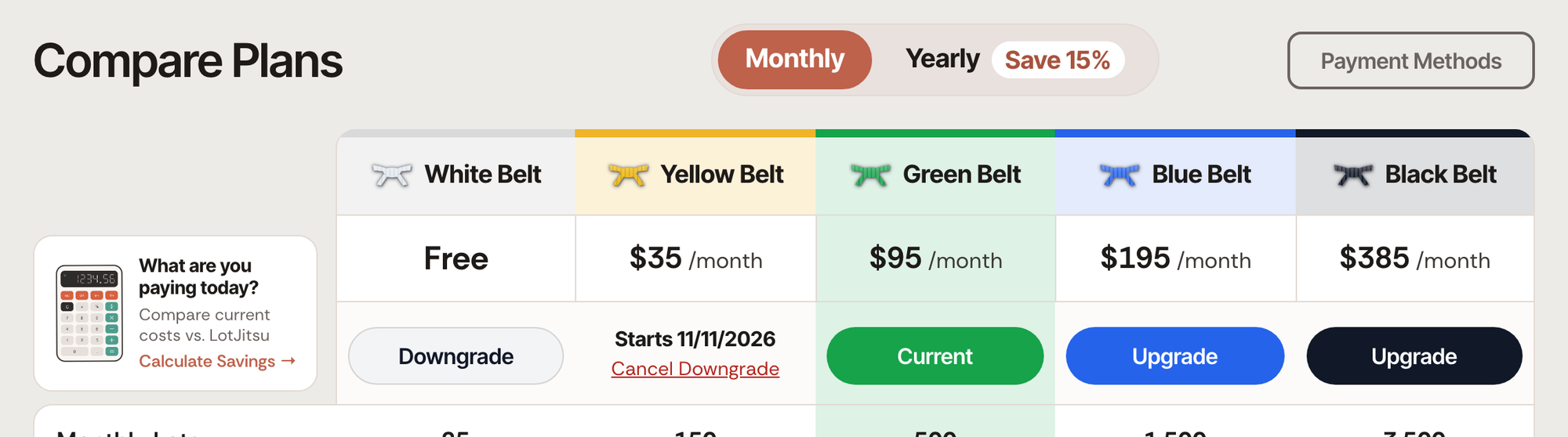
Find the belt you scheduled. Its column reads Starts on and the date.
Click Cancel Downgrade under it.
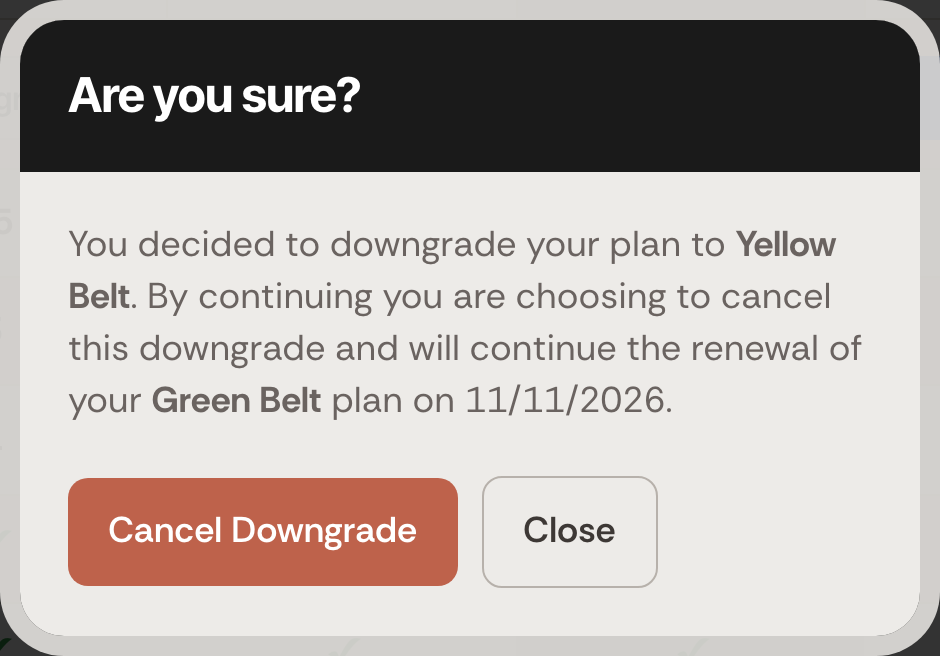
A window headed Are you sure? names the change you made and the plan you will keep, for example: On (date) you decided to downgrade your plan to Yellow Belt. By continuing you are choosing to cancel this downgrade and will continue the monthly renewal of your Green Belt plan on (date).
Click Cancel Downgrade to keep your current plan, or Close to leave the downgrade in place.
Your current plan's column reads Your Plan again.
Steps: undo ending your plan
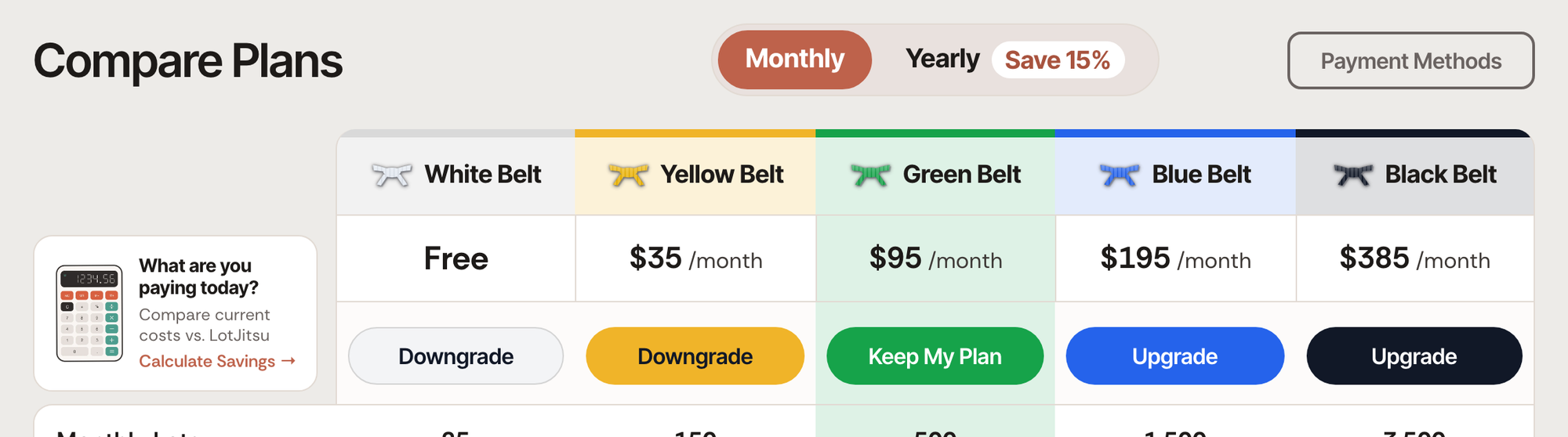
When you have ended your paid plan, your current plan's column shows Keep My Plan instead.
- Go to lotjitsu.com/pricing.
- Click Keep My Plan.
This takes effect straight away, with no confirmation window. Your plan renews on its usual date.
Good to know
- You can only undo before the change date. After it, your account is already on the lower belt or on White Belt. To move up again, see Upgrade your plan or Sign up on a paid plan.
- While a downgrade is scheduled, you cannot upgrade. Trying shows Cancel your scheduled downgrade before upgrading. Cancel the downgrade first.
- Your current plan's column reads Current while a downgrade is scheduled. It is a label, not a button.
- If something goes wrong, the window says That downgrade could not be cancelled. Try again in a moment. If it keeps happening, see Contact support: Ask Support and Support Chat.

