

End your paid plan and go back to White Belt, the free plan. Your plan runs until the end of the period you have already paid for, so nothing changes today and you are not charged again.
Want a smaller paid plan instead? See Downgrade your plan.
Before you start
- You cancel on lotjitsu.com. There is no cancel button in the LotJitsu app or in LotJitsu on your computer.
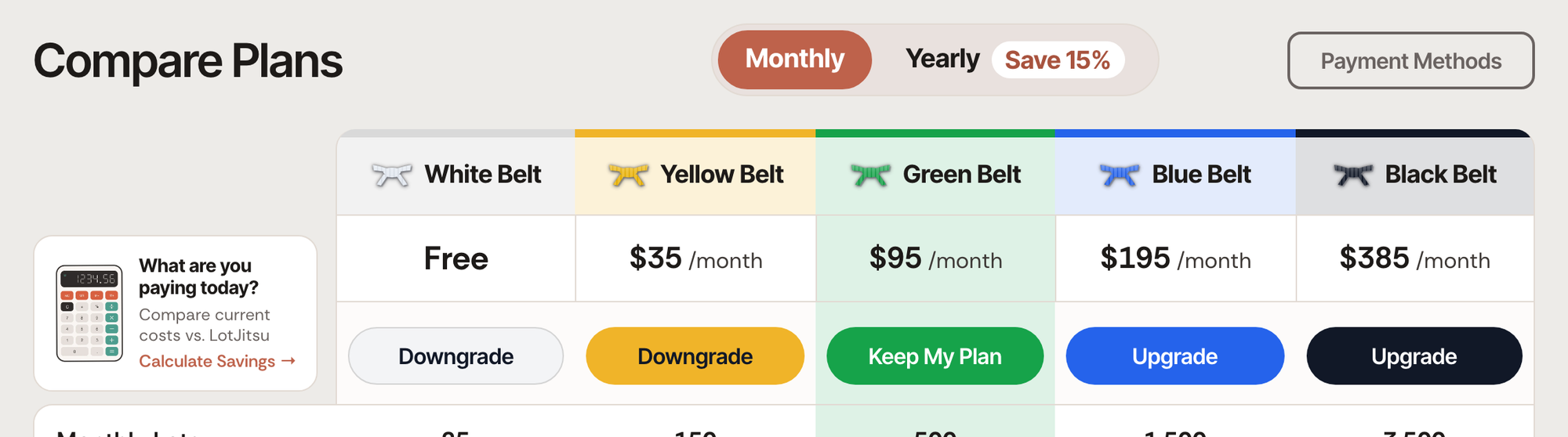
- There is no separate cancel button on the Compare Plans page. You cancel by moving to White Belt.
Steps
- Log in on lotjitsu.com and go to lotjitsu.com/pricing (or click My Plan in your account menu). Your current plan's column reads Your Plan.
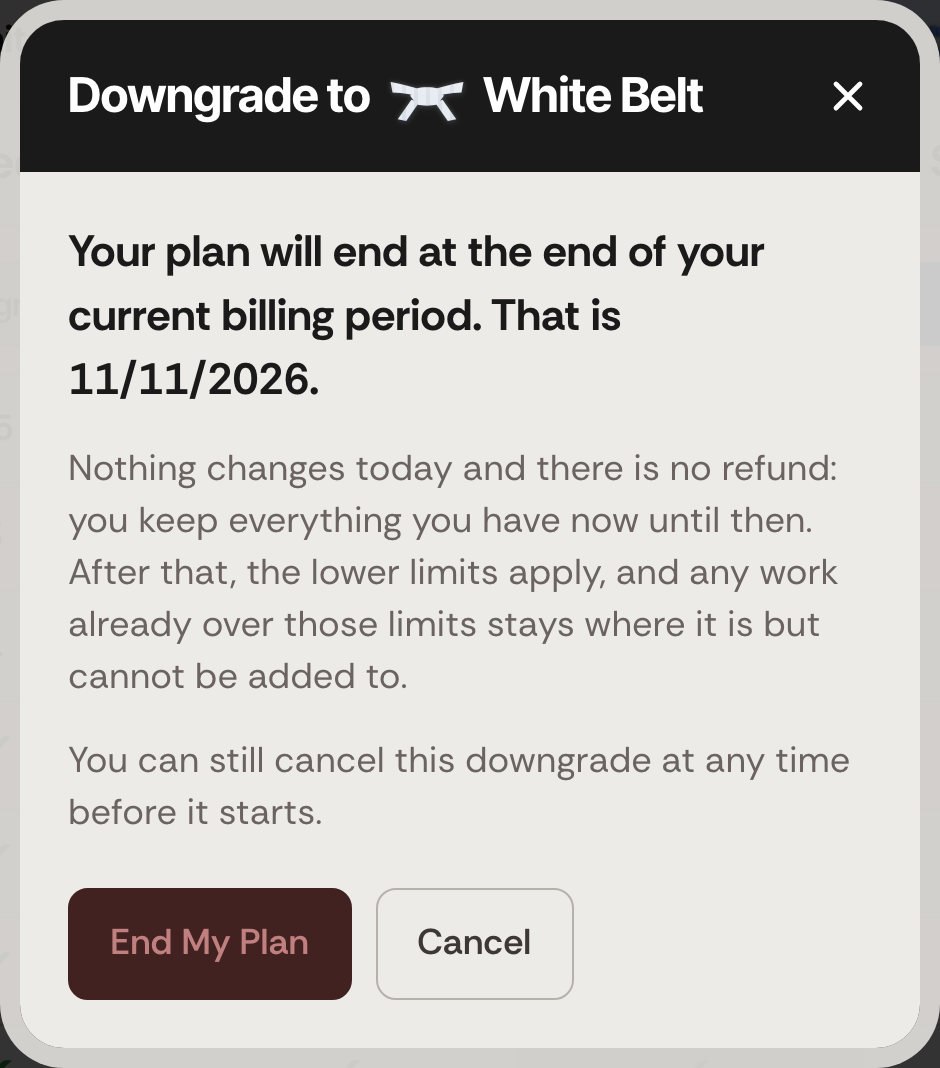
- Click Downgrade under White Belt. A window headed Downgrade to White Belt opens.
- Read the date. The window says Your plan will end at the end of your current billing period. That is followed by the date. Below it: Nothing changes today and there is no refund: you keep everything you have now until then.
- Click End My Plan. To back out, click Cancel instead.
Your current plan's column now reads Keep My Plan, and the other belts' buttons are unavailable. That is your confirmation: the plan ends on the date you read.
Changed your mind?
Click Keep My Plan under your current belt, any time before the end date. Your plan carries on renewing as before. It takes effect straight away, with no confirmation window and no charge. See Cancel a scheduled downgrade.
What happens next
- You are not charged again. Your card is not charged on the renewal date, and there is no refund for the rest of the period you paid for.
- You keep your plan until the end date. Your current limits apply until then.
- Nothing is deleted. Your catalogs, lots, photos, folders and export packages all stay. So do your collaborators, and your saved cards on the Payment Methods page.
- White Belt's limits apply from the end date: 25 lots exported a month, 3 photos per lot, 1 collaborator. Anything you already have over those limits stays where it is, but you cannot add to it: no new photos on a lot that is at or over 3, and no new invitations while you are at or over 1 collaborator. See Photo and collaborator limits.
- A yearly plan ends the same way, at the end of the year you paid for. See Monthly or yearly billing.
- Your past payments stay on record. See Payment history and receipts.
- To pay again later, after the end date, choose a belt with Get Started. See Sign up on a paid plan. Before the end date, click Keep My Plan instead.
If something goes wrong
- If the window says That change could not be scheduled., your plan has not been cancelled. Try again in a moment. If it keeps happening, see Contact support: Ask Support and Support Chat.
- If the Downgrade button under White Belt is unavailable, a downgrade to another belt may already be scheduled, or your plan may already be ending. Look for Starts on and a date, or for Keep My Plan, in the other columns.
Leaving LotJitsu altogether? Download the export packages you want to keep first: the ZIP files you have saved are yours. Deleting your account cancels your paid plan straight away, with no refund, so you do not need to cancel it here first. See Delete your account on your computer.

