

The Security page in the app is where you change your password, see every phone and browser logged in to your account, and manage Apple or Google sign-in.
Using a computer? See Change your password on your computer.
Open Security
- Tap your photo or initial at the top right.
- Tap Security in the account panel.
The page needs a connection.
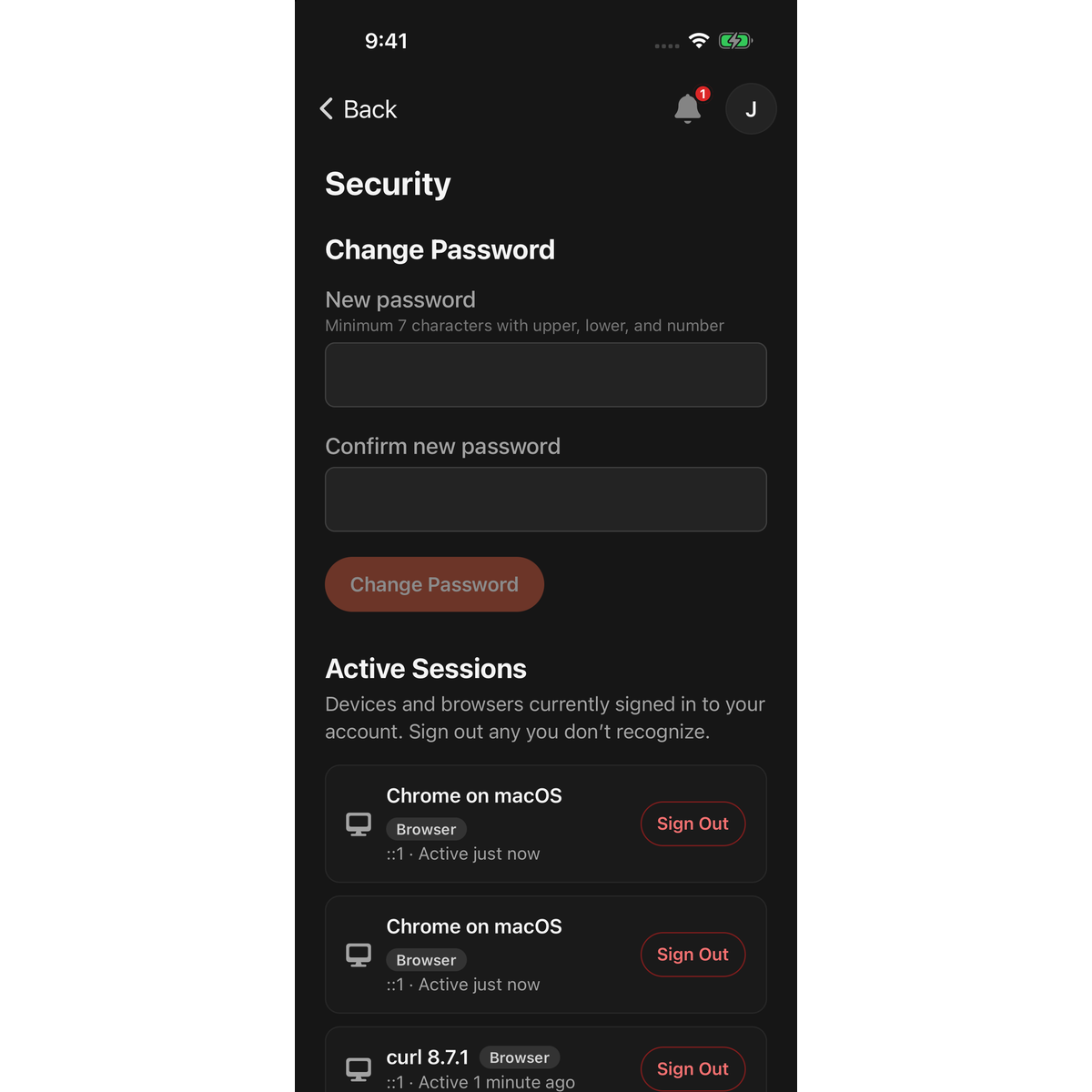
Change your password
- Under Change Password, enter a New password: 7 or more characters, with an uppercase letter, a lowercase letter and a number.
- Enter it again in Confirm new password.
- Tap Change Password.
- In Confirm Password, enter your current password and tap Confirm.
A message confirms "Password changed". You stay logged in on this phone. Every other phone and browser is logged out and needs the new password. LotJitsu also emails you "Your password was changed".
Forgotten your current password? Sign out and use Reset Password on the Log In screen. See Reset your password in the app.
See and end your sessions
Active Sessions lists every device and browser logged in to your account. Each row shows the device or browser, an App or Browser badge, and This device on the phone in your hand.
To log out another device:
- Tap Sign Out on its row.
- In Sign out this session?, tap Sign Out.
A message confirms "Session signed out". The row for this phone has no button. Use Sign Out in the account panel to end it.
Apple and Google sign-in
The Sign-in methods section appears when Apple or Google sign-in is linked to your account or available on your phone.
- Tap Link to add Apple or Google as a way to log in. Tap Unlink to remove it.
- If your account has no password (you signed up with Apple or Google), tap Set a Password to add one. You confirm with Apple or Google first, then choose a password of 7 or more characters, with an uppercase letter, a lowercase letter and a number.
- You can't remove your last way to log in. Set a password first.
See Log in with Apple or Google.
Good to know
- The Change Password fields show only when your account has a password.
- If Active Sessions says "Couldn't load your active sessions.", check your connection and open the page again.
- See a device you don't recognize? End its session, then change your password.

