

Change your password when you know the current one. If you have forgotten it, reset it instead: see Reset your password on lotjitsu.com.
Using the phone app? See Password, sign-in methods and sessions in the app.
Steps
- Click your photo or initial at the top right, then your name and email at the top of the menu. Profile opens.
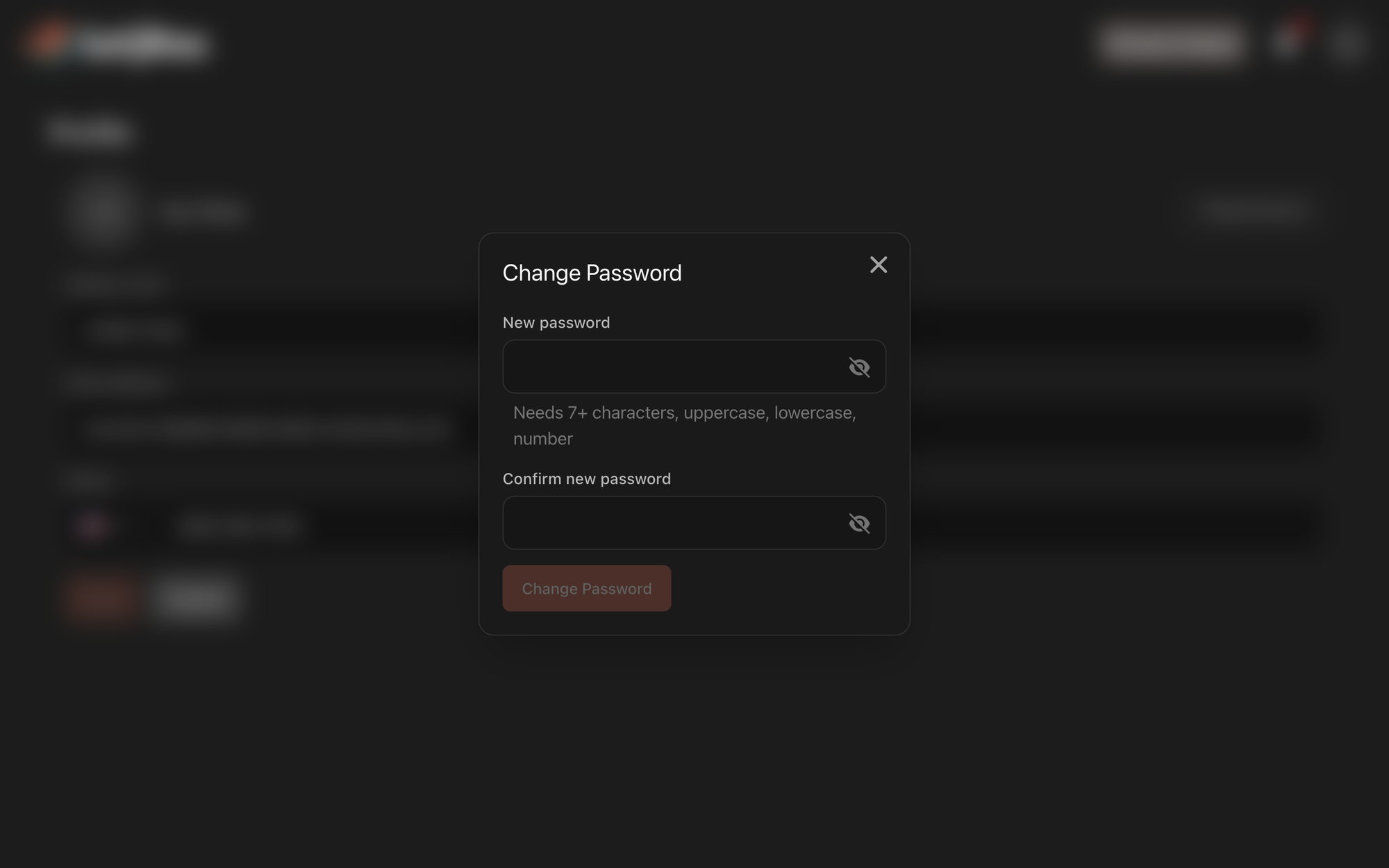
- Click Change Password at the right of the photo row.
- Enter a New password: 7 or more characters, with an uppercase letter, a lowercase letter and a number.
- Enter it again in Confirm new password.
- Click Change password. It stays unavailable until both fields are filled in.
- In Confirm Password, enter your current password and click Confirm.
A message confirms "Password changed".
What happens next
- You stay logged in where you are. Every other browser and phone is logged out and needs the new password.
- LotJitsu emails you "Your password was changed" and adds a Password Changed alert under the bell.
No password yet? Set one
An account created with Apple or Google has no password. Its Profile shows Set a password where Change Password would be.
- On Profile, click Set a password.
- The dialog says you'll confirm with Apple or Google first. Click Continue.
- Log in with Apple or Google in the page that opens, using the account linked to LotJitsu. You come back to Profile.
- Enter a New password (7 or more characters, with an uppercase letter, a lowercase letter and a number), then enter it again in Confirm new password.
- Click Set password.
A message confirms "Password set". From then on, Change Password, changing your email address and deleting your account all work with that password.
If you confirm with a different Apple or Google account, you see "That Apple account is not linked to this LotJitsu account." (or Google). Try again with the linked one.
Good to know
- "Passwords do not match" means the two new-password fields differ.
- "The current password you entered is incorrect." means the password in Confirm Password is wrong. If you can't remember it, reset it instead.
- Got "Your password was changed" but didn't change it? Reset your password straight away, then contact support. See Contact support.
- LotJitsu on your computer has no list of logged-in devices. To see and end sessions, use Security in the app.

