

Using a computer? See Delete catalogs, folders and lots on your computer.
Every delete asks Are you sure? first. A deleted folder, catalog or lot is kept for 30 days, and you can bring it back from your Activity Log in that time.
What goes with it
| You delete | It also deletes | Who can |
|---|---|---|
| A folder | Every catalog in it, with their lots and photos | The folder's Owner |
| A catalog | All of its lots and photos | The catalog's Owner |
| A lot | Its photos and field text | Anyone who can work in the catalog |
Export packages you already made are not affected. They stay in History.
Delete a folder or catalog
- On the Catalogs page, swipe the row to the left.
- Tap the red trash button.
- Read the confirmation and tap Delete.
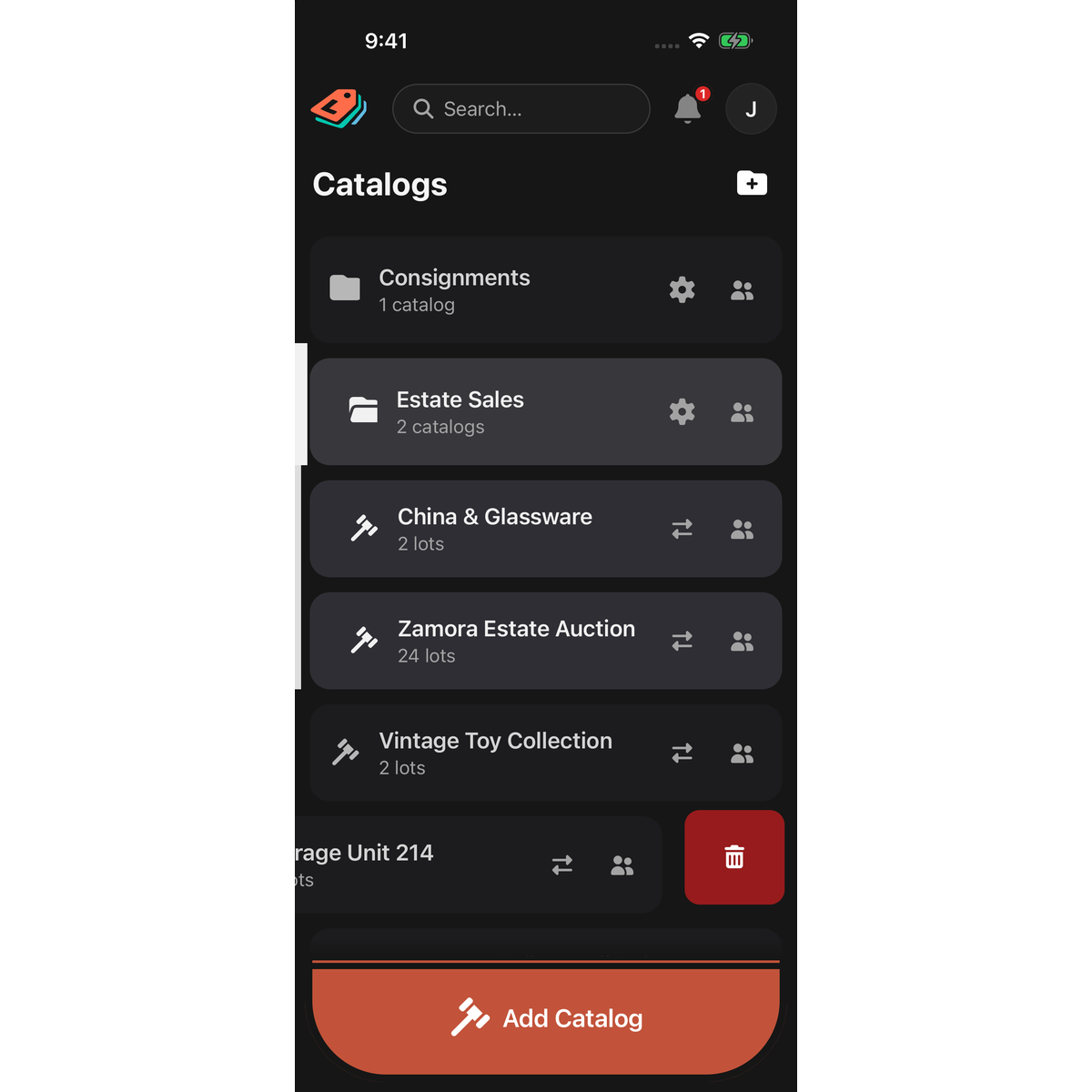
Other ways in:
- Folder: tap the gear on the folder's row, then Delete Folder.
- Catalog: open it and tap the gear, then Delete at the bottom of Catalog Settings. Or press and hold the catalog's name and tap Delete catalog.
Delete a lot
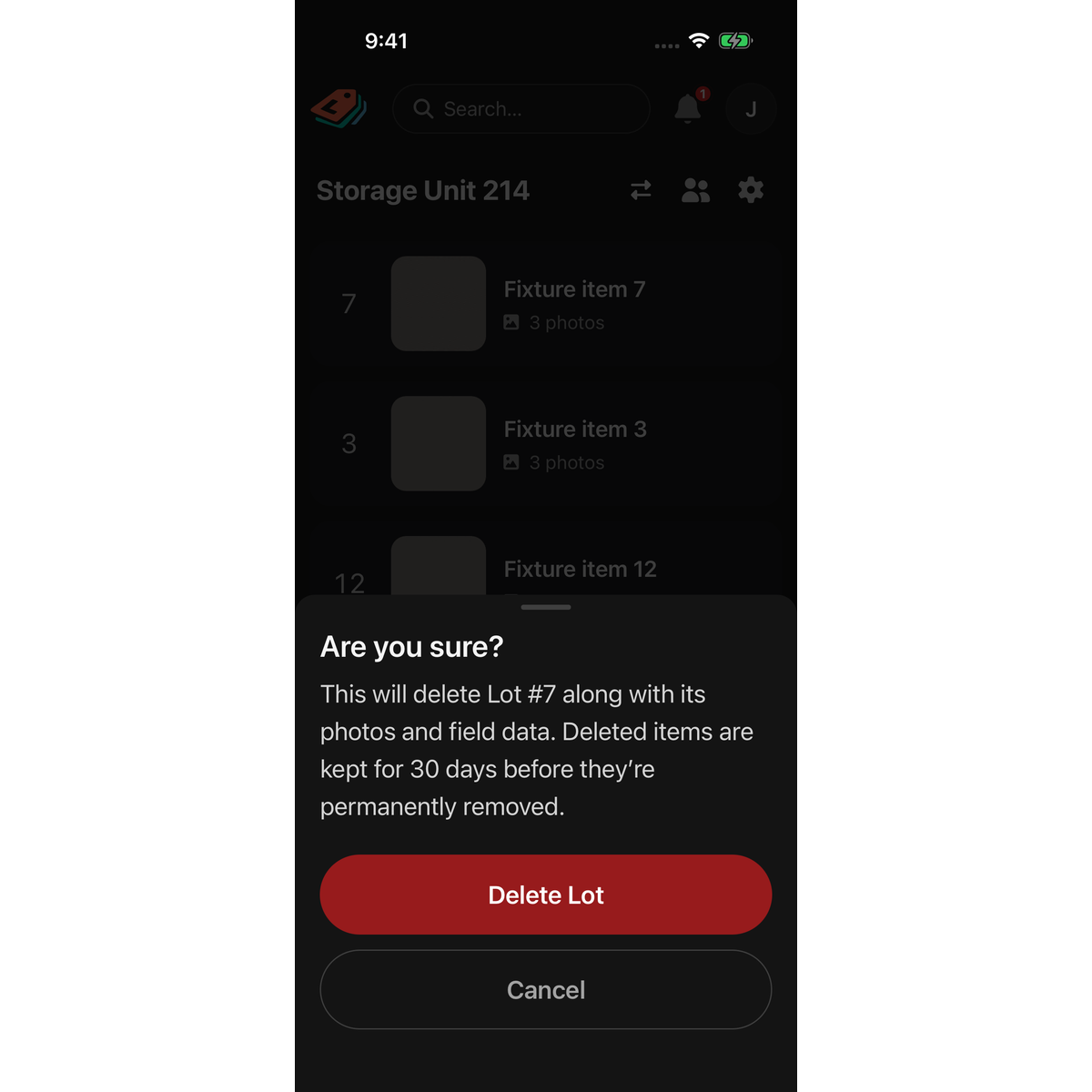
- From the list: open the catalog, swipe the lot's row to the left, tap the red trash button, then tap Delete Lot.
- From the lot: open the lot, scroll to the bottom, tap Delete, then tap Delete again to confirm. You return to the catalog.
Good to know
- To keep some catalogs from a folder you are deleting, drag them out of the folder first.
- Some confirmations say "permanently". Folders, catalogs and lots can still be restored for 30 days. See Restore something you deleted, on your phone.
- Rows under SHARED WITH YOU cannot be swiped to delete. A collaborator can delete lots, but not catalogs or folders; trying from Catalog Settings shows Could not delete catalog.
- With no connection, deletes still work. They are sent when you reconnect.
- A folder you created offline that has not been sent yet is discarded rather than deleted: the confirmation says it was saved on this device only. Catalogs saved under it move to the top level.

