

Using a computer? See Organize catalogs with folders on your computer.
Folders group catalogs on your Catalogs page so a long list stays tidy. A folder holds catalogs only; folders do not go inside other folders. When you move a catalog, its lots and photos go with it.
Create a folder
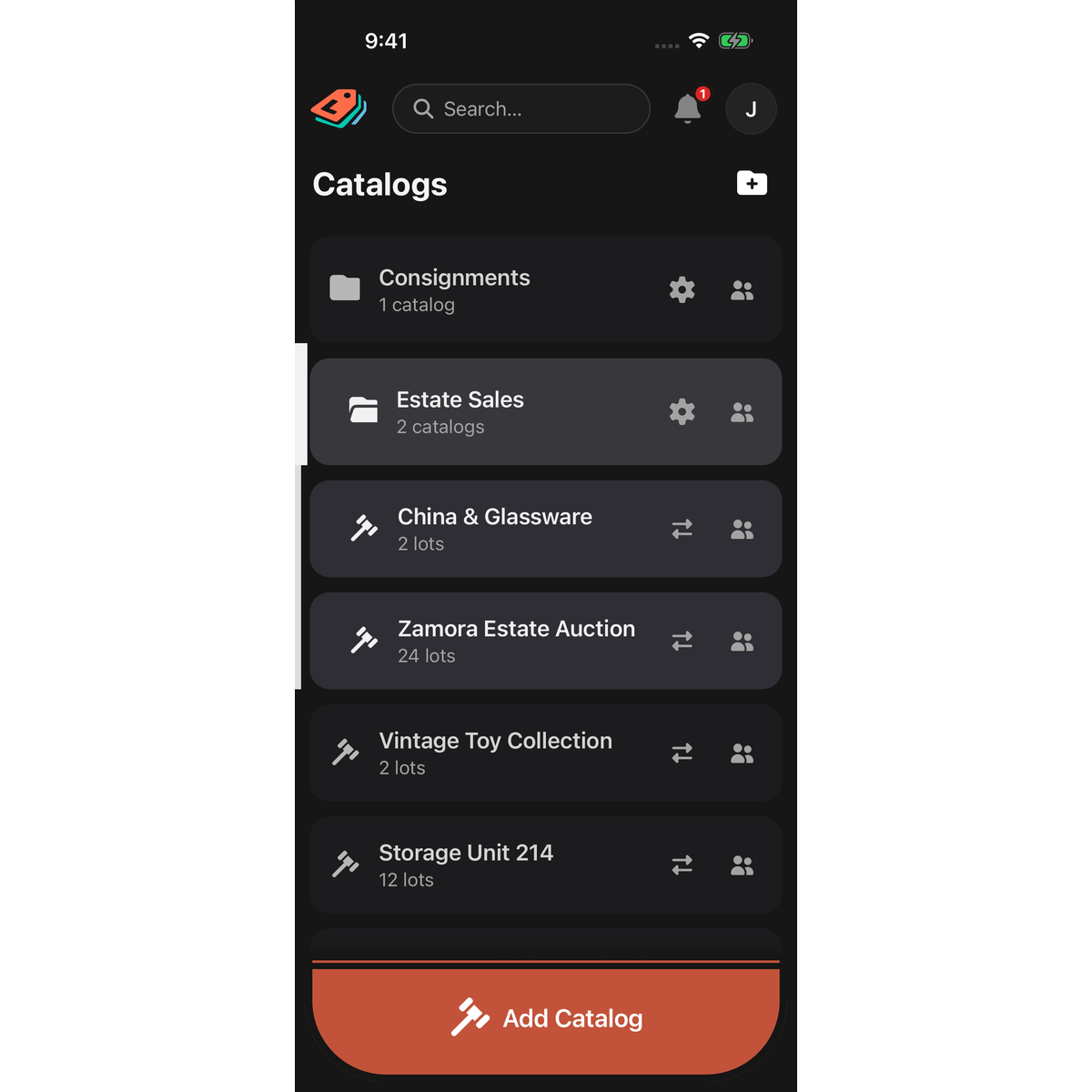
- On the Catalogs page, tap the folder-with-a-plus icon at the right of the Catalogs heading.
- In the New Folder sheet, type a Name.
- Tap Add.
The icon is hidden while your Catalogs page is completely empty. Create your first catalog and it appears.
Open a folder
Tap a folder to open it in place; its catalogs appear beneath it. Tap it again to close it. One folder is open at a time. A folder with no catalogs shows Empty Folder for a moment instead of opening.
Move a catalog into or out of a folder
- Press and hold the catalog's row until it lifts.
- Drag it onto the middle of a folder and let go. The folder opens to show it.
To take a catalog out, open its folder, then drag the catalog out among the top-level rows. Holding a catalog over a closed folder for a moment opens the folder, so you can drop it in a particular spot.
Reorder
Press and hold any row, then drag it up or down. A folder moves with its catalogs. Your order is saved to your account, so LotJitsu on your computer shows the same order. Other people keep their own order.
Rename, recolor or delete a folder
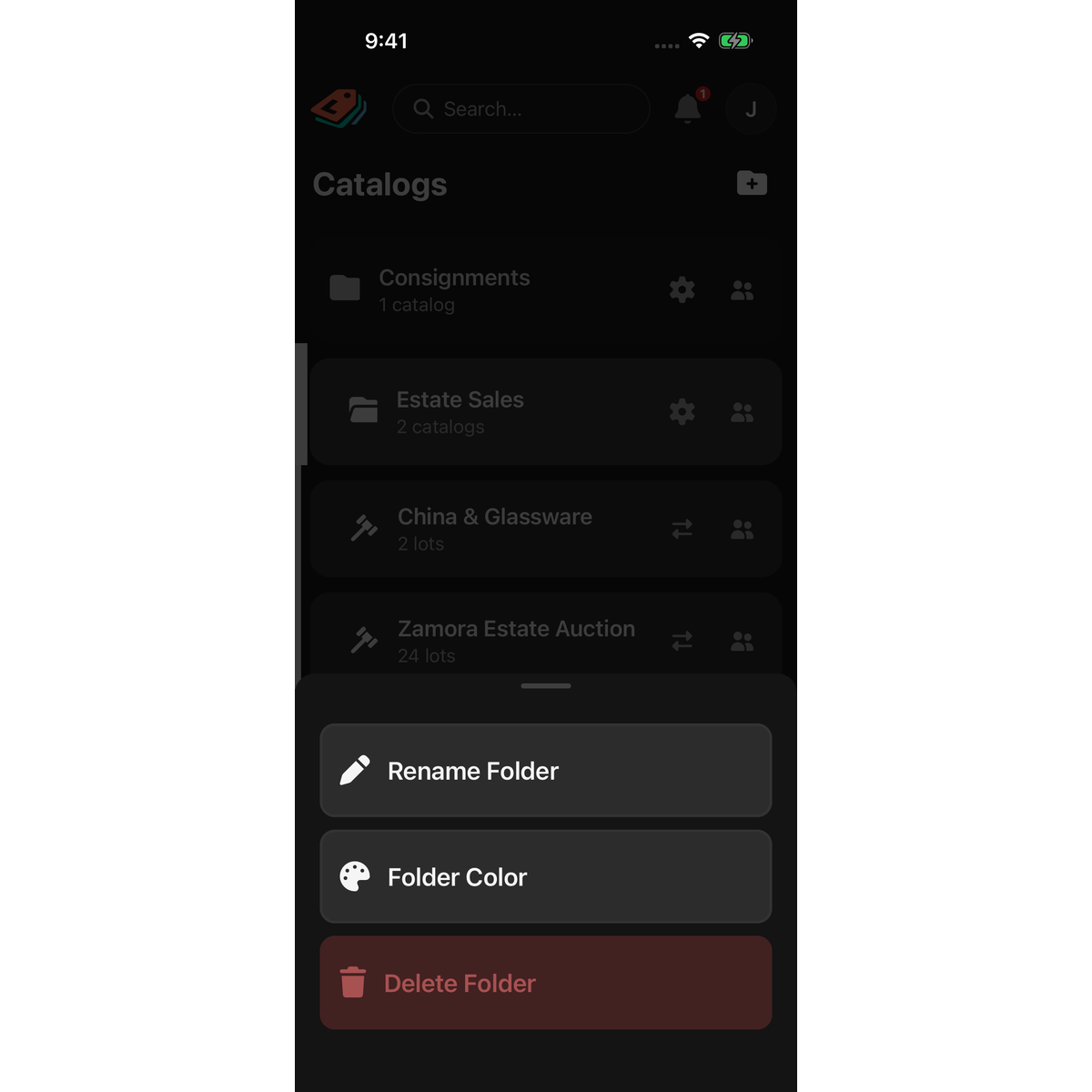
Tap the gear on the folder's row. A sheet opens with:
- Rename Folder: edit Name, then tap Save.
- Folder Color: tap a color in the Folder color sheet. It applies at once.
- Delete Folder: deletes the folder and every catalog in it. See Delete a catalog, folder or lot on your phone.
Good to know
- Only a folder's Owner sees the gear, and only an Owner can move catalogs in or out. Otherwise you see Only owners can move catalogs between Folders.
- A folder cannot hold two catalogs with the same name. You see That Folder already has a catalog with this name - rename it first.
- Folders and catalogs under SHARED WITH YOU belong to someone else. Dragging one shows Catalogs and folders shared with you can only be modified by their owner; tap Dismiss.
- With no connection, you can still create, rename, move and reorder folders. Changes are sent when you reconnect. A new folder shows Folder saved locally. It will appear in your list once connectivity returns.
- A folder also has its own page, which opens when you tap a folder in search. Add Catalog on that page creates the catalog inside the folder.

