

Using the LotJitsu app? See Organize catalogs with folders on your phone.
Folders group catalogs on your Catalogs page so a long list stays tidy. A folder holds catalogs only; folders do not go inside other folders. When you move a catalog, its lots and photos go with it.
Create a folder
- On the Catalogs page, click Add Folder at the top right.
- In the Folder Name window, type a Name (up to 120 characters).
- Click Create.
The new folder appears at the top of your list.
Open a folder
Click anywhere on a folder's row (not its icons) to open it in place; its catalogs appear beneath it. Click again to close it. A folder with no catalogs shows Empty Folder for a moment instead of opening.
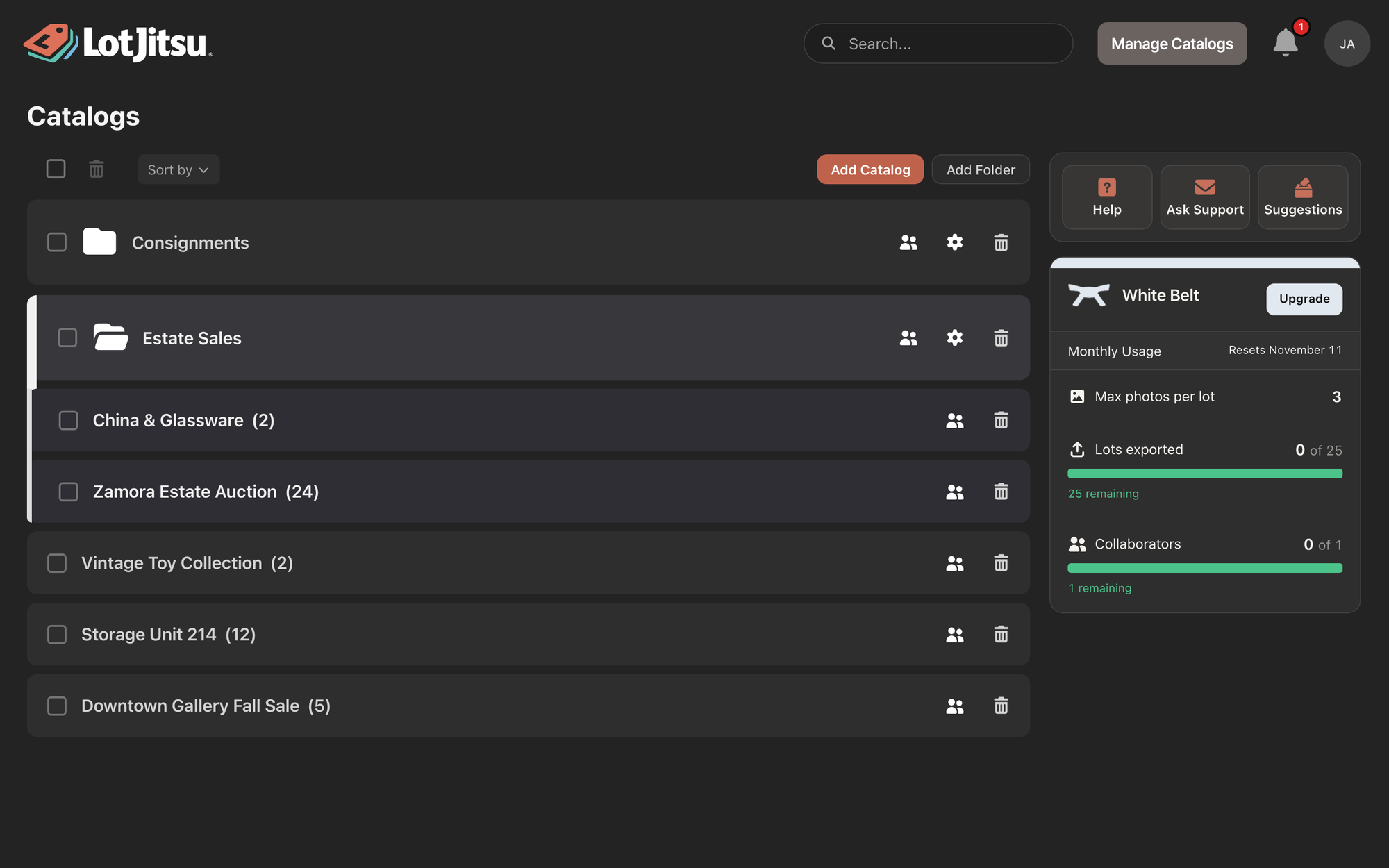
Move a catalog into or out of a folder
- Press on the catalog's row and drag. The row lifts as you move.
- Drop it on the middle of a folder's row. The folder opens to show it.
To take a catalog out, open its folder and drag the catalog out among the top-level rows. Pausing over a closed folder opens it, so you can drop the catalog in a particular spot.
Reorder or sort
Drag any row up or down. A folder moves with its catalogs.
To sort instead, open Sort by above the list and choose A-Z or Z-A. This sorts your folders and top-level catalogs by name once and saves that order. Catalogs inside a folder keep their own order.
Your order is saved to your account, so the LotJitsu app shows the same order. Other people keep their own order.
Rename or recolor a folder
- Rename: double-click the folder's name, type, then press Enter or click away. Press Esc to cancel.
- Settings: click the gear (Folder settings) on the folder's row. In Folder Settings, edit Name (it saves on its own) or pick a swatch under Folder color: Default, Red, Orange, Amber, Green, Cyan, Blue, Indigo, Violet or Pink.
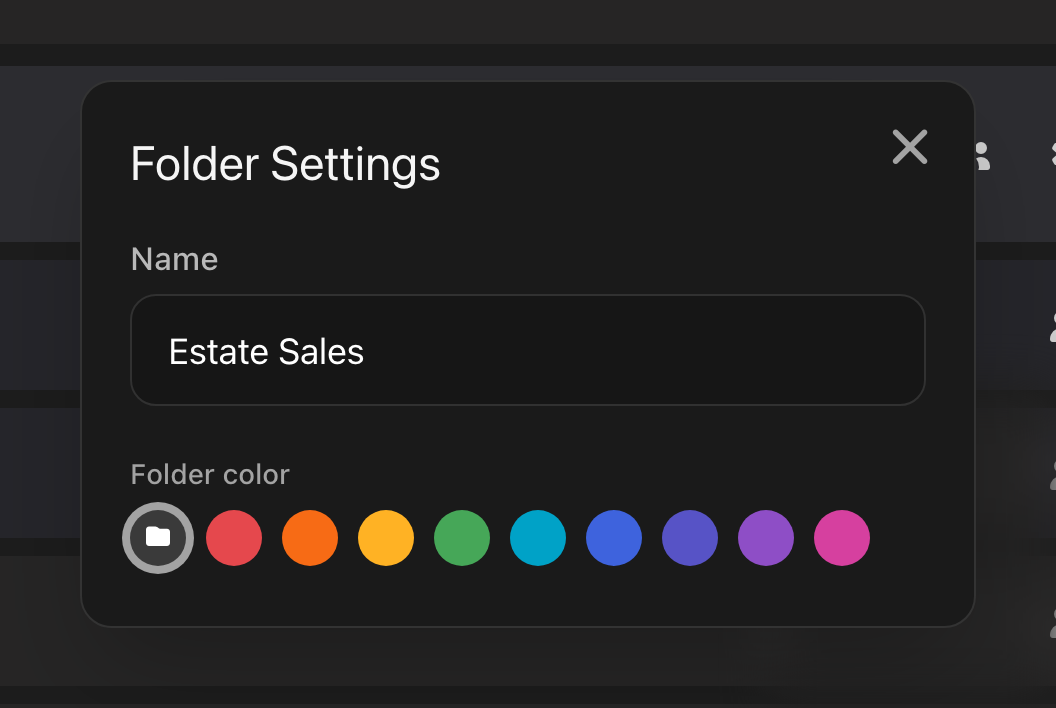
To delete a folder, use the trash icon on its row. See Delete catalogs, folders and lots on your computer.
Good to know
- Only a folder's Owner sees the gear and trash icons, and only an Owner can move catalogs in or out.
- A folder cannot hold two catalogs with the same name. If a move fails for this or any other reason, you see Could not move the catalog. and the catalog stays where it was.
- Folders and catalogs under SHARED WITH YOU belong to someone else. Dragging one shows Catalogs and folders shared with you can only be modified by their owner; click Dismiss.
- New catalogs are always created at the top level. Drag them into a folder afterwards.

