

Before it builds a package, LotJitsu looks for lots that may be the same item entered twice and asks you to decide about each group. It works the same way on your phone and your computer.
How LotJitsu spots them
Two lots are flagged when they contain a photo of exactly the same file size. That usually means the same photo was added twice. Matches chain together, so if lot 3 matches lot 5 and lot 5 matches lot 9, all three form one group. Lots with no photos are never flagged.
File size is a clue, not proof. The same item photographed twice gives different files and is not flagged, and two different items can, rarely, be flagged together. Compare the lots before you choose.
Steps
- Start an export. Each group appears under Resolve Issues as a Possible duplicates row marked Critical, and Duplicates found counts the groups.
- Click or tap the row. Possible Duplicate Lots opens, showing each lot's Cover Photo, lot number and title.
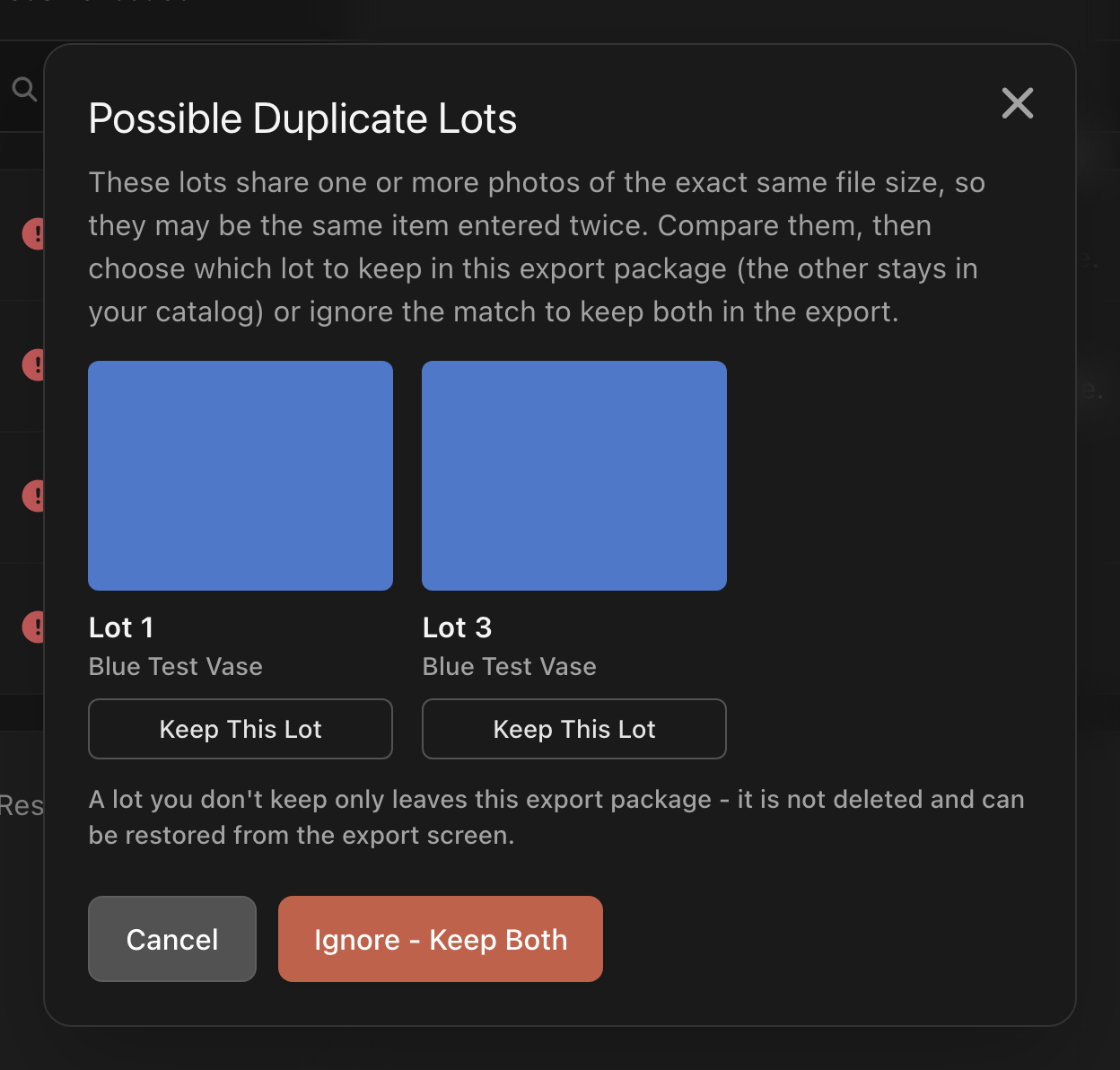
- Choose one:
- Keep This Lot under the lot you want in the package. The other lots in the group leave this package but stay in your catalog. A message confirms which lots were removed.
- Ignore - Keep Both when they are different items. Every lot stays in the package.
- When every group is decided and no other critical issue remains, click or tap Continue.
To decide later, close the window (Cancel on a computer). The group stays unresolved and Continue stays locked.
Put a removed lot back
Lots you did not keep are listed under Removed from this export on the same step, below Resolve Issues.
- Find the lot under Removed from this export.
- Click or tap Restore. A message confirms the lot is back in the export.
If the restored lot still shares a photo with another lot, the group comes back for you to decide again.
Good to know
- Keep This Lot deletes nothing. But a removed lot stays out of every later package until you restore it, not just this one, and nothing on the catalog page marks it. Look under Removed from this export.
- Ignore - Keep Both is remembered. The same lots are flagged again only if the group changes, for example when a third lot starts sharing a photo.
- If a lot really is a duplicate and you never want it, delete it instead. You can restore a deleted lot for 30 days. See Delete catalogs, folders and lots on your computer or Delete a catalog, folder or lot on your phone.
- Removed lots are left out of the counts, the package and your allowance.
- If you already uploaded a package with the duplicate to your platform, remove it there yourself. LotJitsu cannot change a package you have already uploaded.

