

Everyone with access to a folder or catalog has one of three levels. The rules are the same on your phone and your computer.
- Owner of a folder: full control of the folder and every catalog in it. A folder can have more than one Owner. A catalog that is not in a folder is owned by the account that made it.
- Collaborator on a folder: does the day-to-day work in every catalog of the folder.
- Collaborator on one catalog: someone you shared a single catalog with. They work inside that catalog only.
Who can do what
| Folder Owner | Folder Collaborator | One-catalog Collaborator | |
|---|---|---|---|
| Add, edit and delete lots and photos | Yes | Yes | Yes |
| Change Catalog Settings (name, platform, fields, writing) | Yes | Yes | Yes |
| Export a catalog | Yes | Yes | No |
| Create a catalog in the folder | Yes | Yes, on a phone (see below) | No |
| Move catalogs, rename or recolor the folder | Yes | No | No |
| Delete a catalog or the folder | Yes | No | No |
| Restore a deleted folder or catalog | Yes | No | No |
| Invite, remove, and change roles | Yes | No | No |
Notes:
- Exports count against the owning account. When a folder Collaborator exports, it uses the monthly export allowance of the account that owns the catalog, not their own.
- One-catalog Collaborators are not offered Export. The Export button is hidden, and Export on the Transfer window or sheet is greyed out with "This catalog was shared with you on its own, so you can't export it." Ask a folder member or the Owner to export.
- Creating catalogs in a shared folder. A folder Collaborator can do this in the LotJitsu app, from the folder's own page (open the folder from search, then tap Add Catalog). On a computer, new catalogs always land in your own top level.
- Import. On a computer, anyone who can open a catalog can import lots into it. The app hides Import from collaborators: only the Owner sees it there.
- Restoring lots. Anyone who can work in a catalog can restore a lot they deleted, from their own Activity Log.
Change someone's role
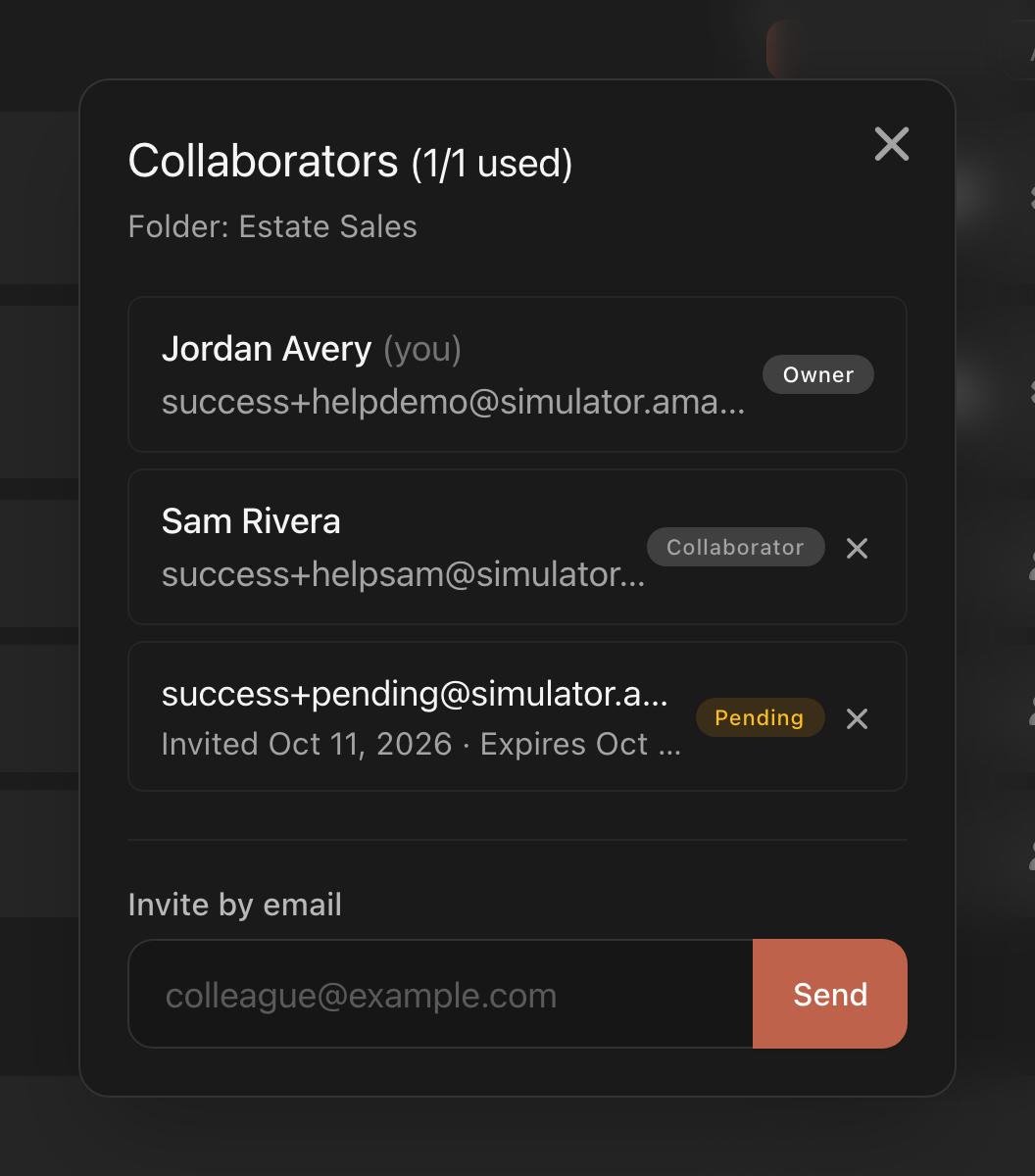
Only a folder Owner can, in the folder's Collaborators list. There is no menu: the role label on the person's row (Owner or Collaborator) is itself the button. Tap or click it to switch the role. On a computer, hovering over the label shows a tooltip naming the action, Promote to Owner or Demote to Collaborator. The change is immediate, with no confirmation.
Roles apply to folders only. People given a single catalog are always Collaborator.
Remove someone
In the Collaborators list, tap or click the X on their row. Their access ends straight away. They are not told, and there is no confirmation.
Hand a folder to someone else
There is no transfer button. Promote the person to Owner, then remove yourself with the X on your own row. A folder must always keep one Owner, so the last Owner's row has no X and their Owner label is a plain label, not a button.
Good to know
- Your plan's collaborator limit counts each person once across everything you share, and never counts Owners, including people you promote.
- Accepting a folder invitation replaces any single-catalog access that person had inside that folder.
- To leave something shared with you, see Working in a shared catalog.

