

Your Profile holds your photo, display name, email address and phone number. This article shows how to change them in the LotJitsu app.
Using a computer? See Edit your profile on your computer.
Open your Profile
- Tap your photo or initial at the top right.
- In the account panel, tap your name and email at the top.
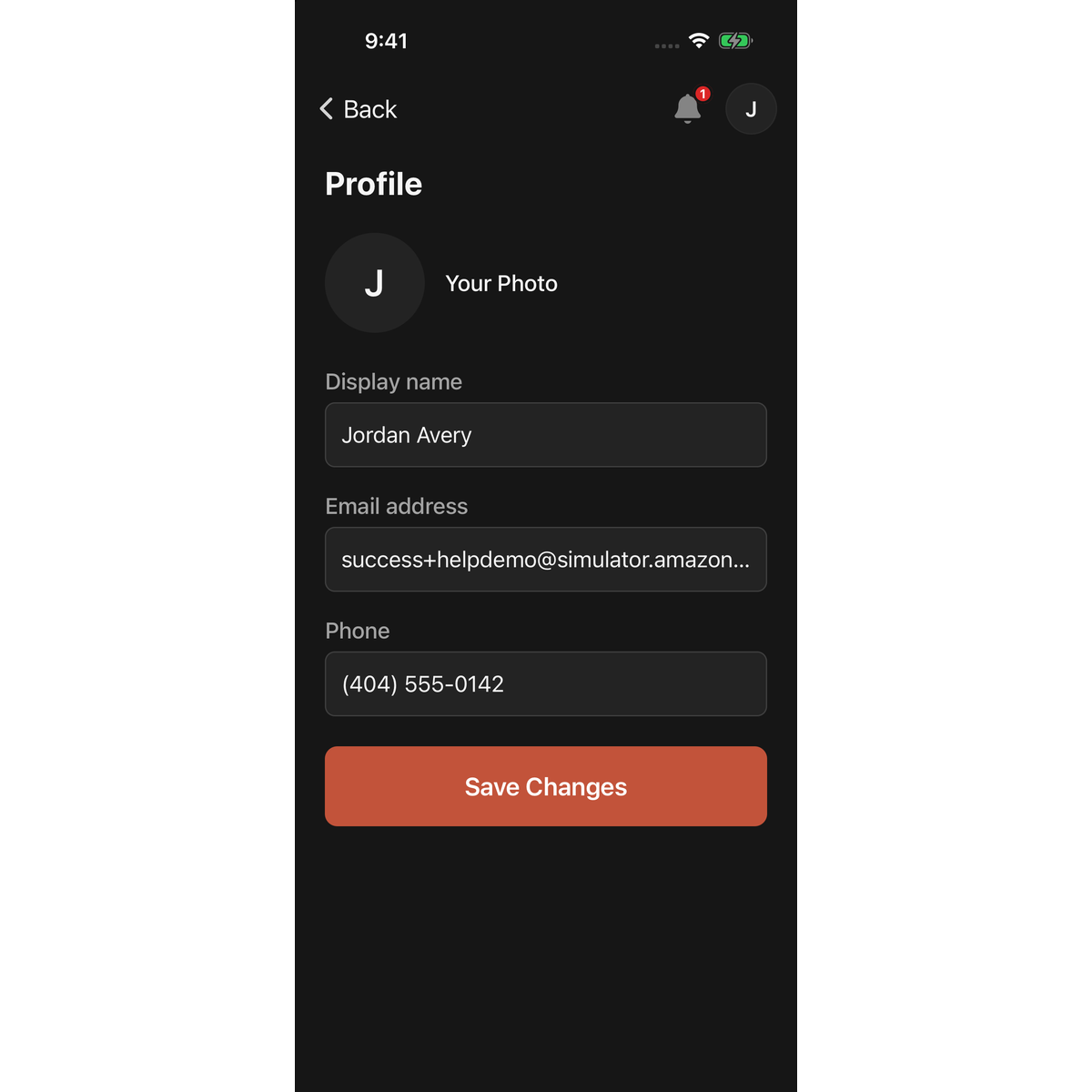
Change your display name or phone number
- Edit Display name, Phone, or both.
- Tap Save Changes. "Changes saved." appears under the button and the app returns to the previous screen.
If something is wrong, the field says why and nothing is saved:
- "Phone number is required for security." means the phone field is empty.
- "Enter a valid phone number." means the number is incomplete.
If you leave with unsaved edits, the app asks Discard changes?. Tap Discard to leave without saving, or swipe the sheet down to stay.
Change your photo
- Tap the circle next to Your Photo. Your photo library opens.
- Choose a photo. iPhone HEIC photos are converted for you. The file must be under 5 MB.
- Drag and zoom to frame it, then tap Save.
The photo saves straight away; it isn't part of Save Changes. Tap the circle again to re-crop.
To remove it, tap Remove under Your Photo, then Remove in Are you sure?. Your initial shows in its place.
Change your email address
Type the new address in Email address and tap Save Changes. LotJitsu asks for your password and sends a confirmation link to the new address. See Change your email address.
Good to know
- Saving needs a connection.
- To change your password, use Security in the account panel. See Password, sign-in methods and sessions in the app.
- Your Profile is shared with LotJitsu on your computer. Changes show up there too.

