

Your Profile holds your photo, display name, email address and phone number. This article shows how to change them in your web browser.
Using the phone app? See Edit your profile in the app.
Open your Profile
- Click your photo or initial at the top right of the header.
- Click your name and email at the top of the menu. The Profile page opens.
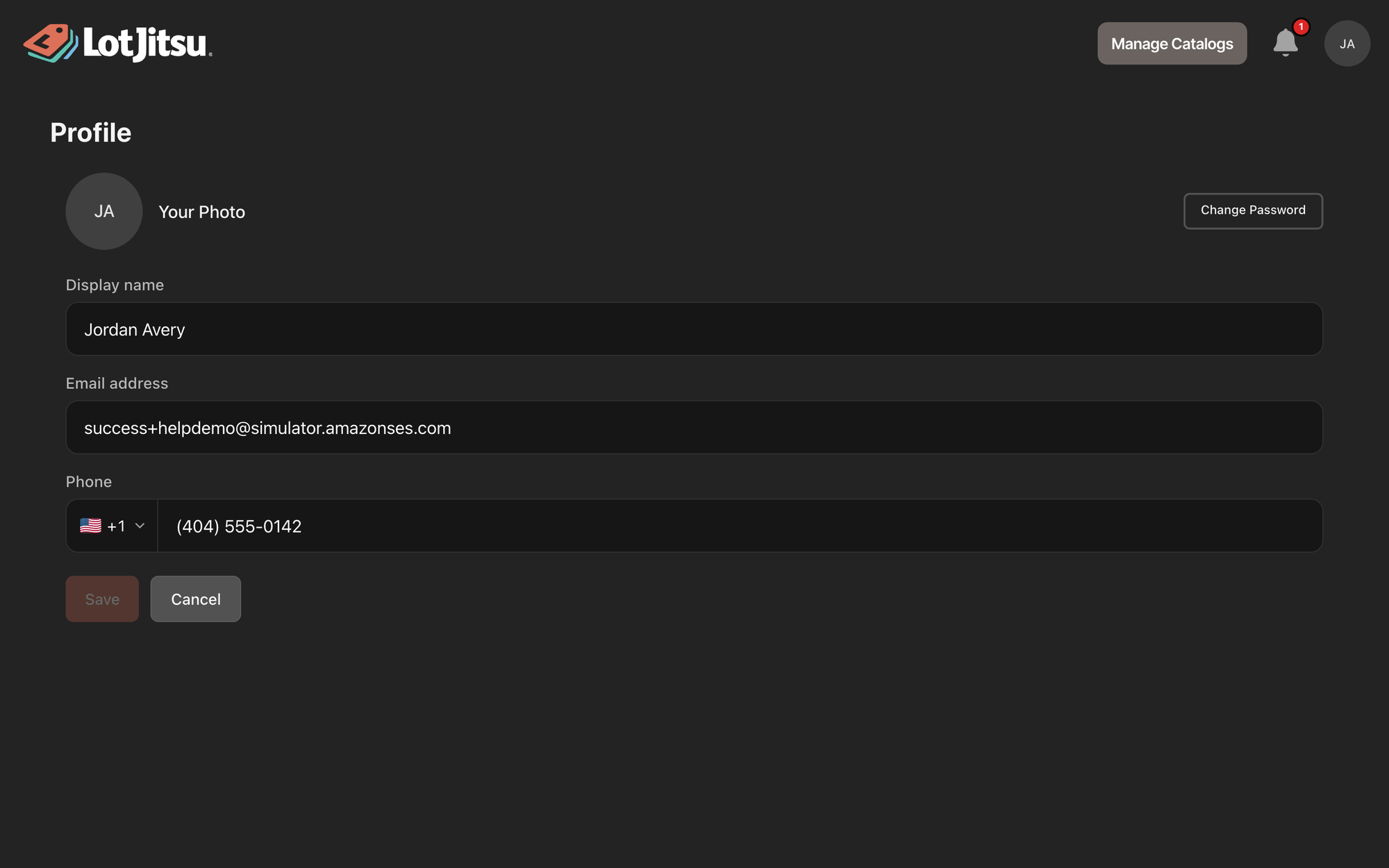
Change your display name or phone number
- Edit Display name, Phone, or both. Click the country picker beside Phone to change the country code.
- Click Save. A message confirms "Profile saved".
Cancel takes you back to the page you came from without saving. Save stays unavailable until you change something.
Your display name is what collaborators see. Your phone number is required. LotJitsu says "Phone number is required for security." if you clear it, and "Enter a valid phone number." if it is incomplete.
Change your photo
- Click the circle next to Your Photo. A camera icon appears when you point at it.
- Choose a JPEG, PNG, WebP or GIF image under 5 MB.
- In Crop profile photo, drag and zoom to frame it, then click Save.
The photo saves straight away; you don't need to click the page's Save. Click the circle again to re-crop.
To remove it, click Remove under Your Photo, then Remove again in Are you sure?. Your initial shows in its place.
Change your email address
Type the new address in Email address and click outside the field. LotJitsu asks for your password and sends a confirmation link to the new address. See Change your email address.
Change your password
Click Change Password at the right of the photo row. An account created with Apple or Google, which has no password yet, shows Set a password there instead. See Change your password on your computer.
Good to know
- "Please upload a JPEG, PNG, WebP, or GIF image" means the file is another format, such as an iPhone HEIC photo. Save it as JPEG first.
- "Image must be under 5MB" means the file is too large. Choose a smaller one.
- "Names cannot contain web addresses or phone numbers." means the display name holds a link or number.
- Your Profile is shared with the app. Changes show up on your phone too.

