

Using the LotJitsu app? See Create a catalog on your phone.
A catalog holds the lots you are preparing for one platform. You name it, pick the platform you will upload to, and choose the fields each lot collects.
Steps
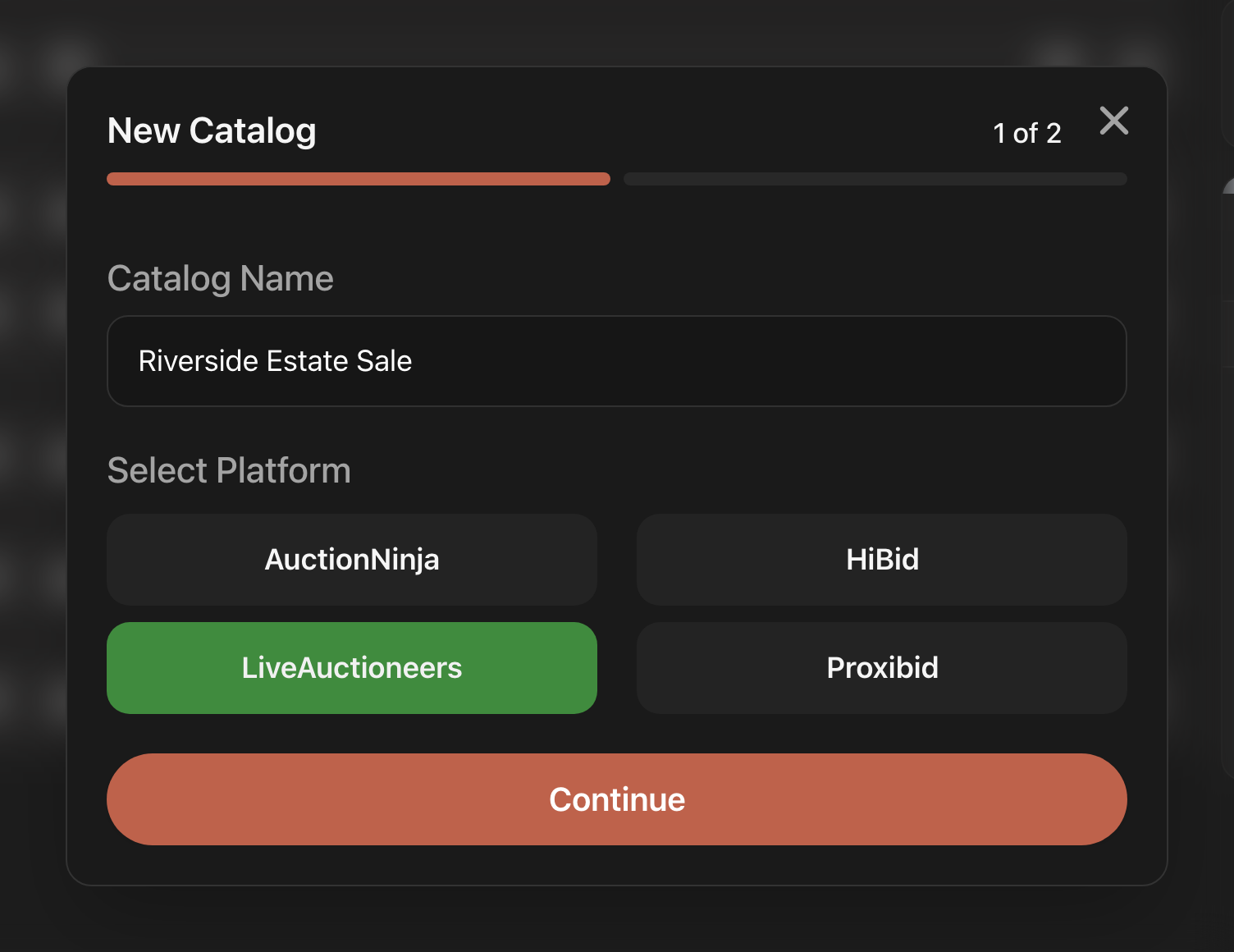
- On the Catalogs page, click Add Catalog at the top right. The New Catalog window opens at 1 of 2.
- Under Catalog Name, type a name you will recognize later.
- Under Select Platform, click the platform you will upload this catalog to: AuctionNinja, HiBid, LiveAuctioneers or Proxibid.
- Click Continue. It stays greyed out until you have a name and a platform.
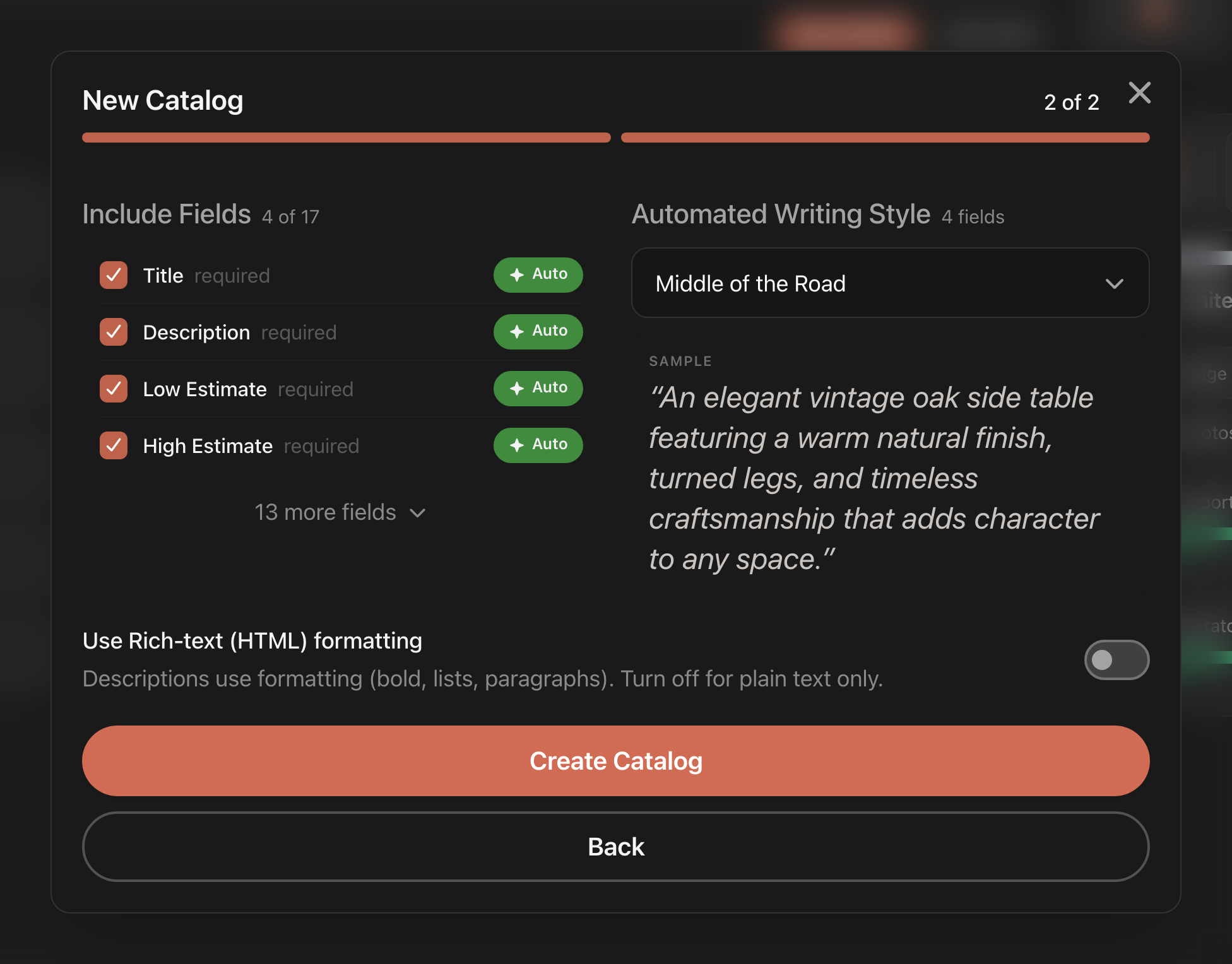
- On 2 of 2, check the list under Include Fields. The count beside the heading (for example 4 of 17) shows how many fields every lot will collect. Fields marked required are always ticked. Click the Auto pill on a field to have LotJitsu write it from your photos. Click N more fields to see the rest of the platform's fields.
- If any field is set to Auto, choose a tone under Automated Writing Style. The SAMPLE card shows how that style reads.
- If you want formatted descriptions, turn on Use Rich-text (HTML) formatting. This switch does not appear for HiBid, which takes plain text only.
- Click Create catalog.
The window closes and your new, empty catalog opens, ready for Add First Lot.
Good to know
- Where it lands. New catalogs are always created at the top level of your Catalogs page, outside any folder. To file one, drag its row onto a folder. See Organize catalogs with folders on your computer.
- Names. A name can be up to 200 characters. Two catalogs in the same folder, or two at the top level, cannot share a name. If the name is taken, "A catalog with that name already exists" appears and the window stays open with your choices.
- To change your mind on step 2, click Back. Picking a different platform resets the field list to that platform's starting set.
- If you see Couldn't load the fields for {platform}. Try again., click Retry.
- Include Condition is not in this window. It is in Catalog Settings, along with everything you chose here.
- What each field and pill means: Choose a platform and fields and How LotJitsu writes your listings.

