

Using the LotJitsu app? See Delete a catalog, folder or lot on your phone.
Every delete asks Are you sure? first. A deleted folder, catalog or lot is kept for 30 days, and you can bring it back from your Activity Log in that time.
What goes with it
| You delete | It also deletes | Who can |
|---|---|---|
| A folder | Every catalog in it, with their lots and photos | The folder's Owner |
| A catalog | All of its lots and photos | The catalog's Owner |
| A lot | Its photos and field text | Anyone who can work in the catalog |
Export packages you already made are not affected. They stay on your History page.
Delete a folder or catalog
- On the Catalogs page, click the trash icon at the right of the row. On a folder it reads Delete this folder when you point at it.
- Read the confirmation. For a folder it says how many catalogs go with it.
- Click Delete.
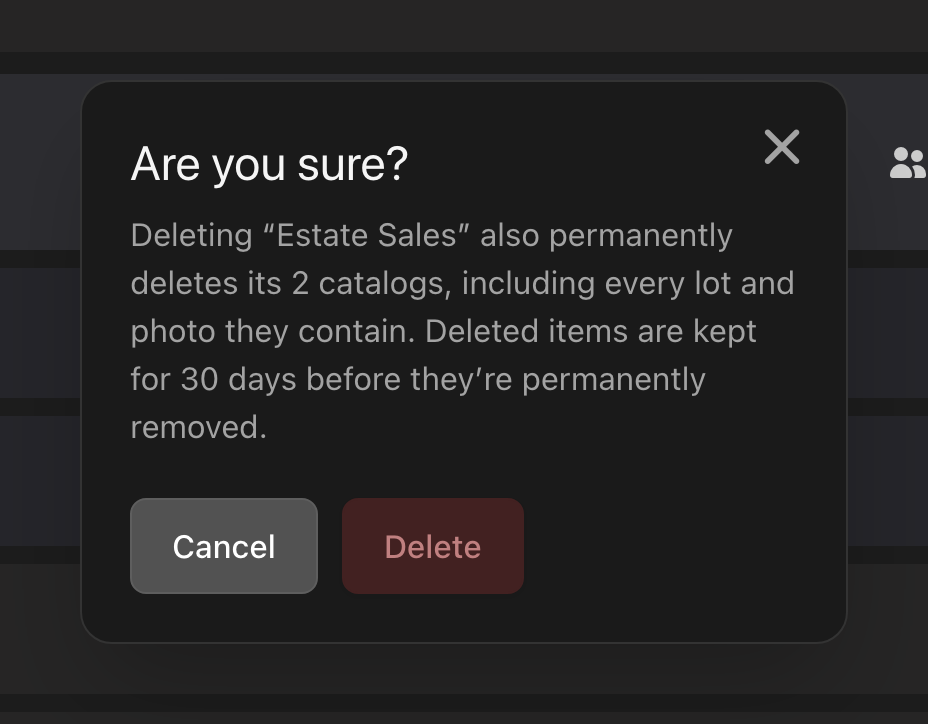
You can also delete a catalog from inside it: click the gear (Catalog settings), then Delete at the bottom of Catalog Settings, then Delete again.
Delete a lot
- Open the catalog.
- Click the trash icon (Delete this lot) at the right of the lot's row.
- Click Delete lot.
Delete several at once
- Tick the checkbox at the left of each row you want to delete. On the Catalogs page, ticking a folder also ticks every catalog in it. The checkbox above the list selects everything.
- A count such as 3 selected appears. Click the trash icon beside it.
- Click Delete.
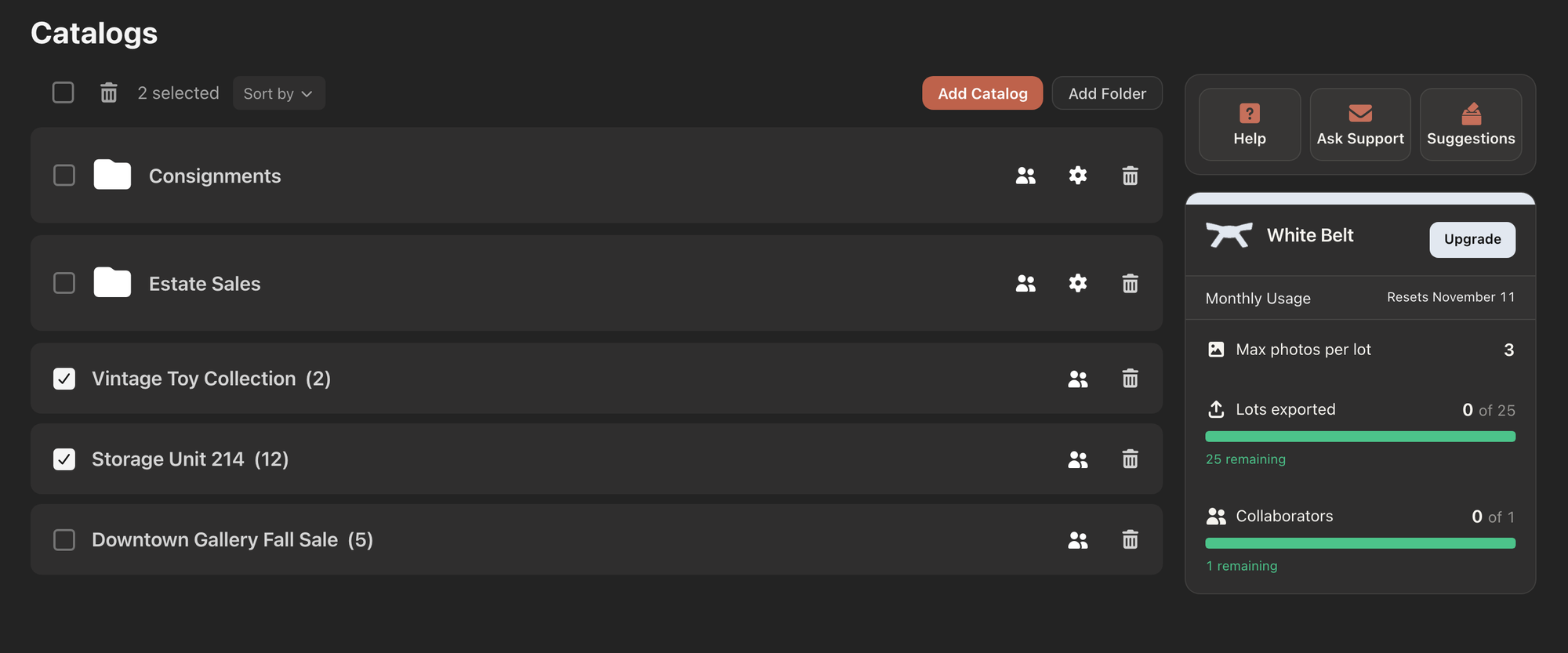
This works for folders and catalogs on the Catalogs page, and for lots inside a catalog.
Good to know
- To keep some catalogs from a folder you are deleting, drag them out of the folder first.
- Some confirmations say "permanently", and some do not mention the 30 days. Folders, catalogs and lots can still be restored for 30 days. See Restore something you deleted, on your computer.
- Rows under SHARED WITH YOU have no checkbox or trash icon. A collaborator can delete lots, but not catalogs or folders; trying from Catalog Settings shows Could not delete catalog.
- There is no Undo button after a delete. Use the Activity Log instead.
- The lot page itself has no delete button. Delete lots from the catalog's list.

