

LotJitsu writes a lot's Title, Description and other fields from the photos you take. Four catalog settings decide what it writes and how it sounds: the Auto pills, Automated Writing Style, Use Rich-text (HTML) formatting and Include Condition. They work the same on your phone and your computer.
Which fields get written
LotJitsu writes a field when it is ticked under Include Fields and its Auto pill is on. Only fields LotJitsu can write have a pill: Title and Description on every platform, plus Category or the estimates on some. See Choose a platform and fields.
When you add a lot, LotJitsu writes all of its Auto fields at once. With every pill off, nothing is written for you.
What it reads
- Your photos. All of the lot's photos are read together as one item, cover photo first, up to 20 photos. Anything in the frame can end up in the text, so keep the frame to the lot. See Take better photos for better listings.
- The catalog's name and platform.
It describes what the photos show. LotJitsu's writing instructions tell it not to guess at maker, age, authenticity or value beyond what is visible, and to leave a field blank rather than guess. Estimates are written as plain numbers, low before high, or left blank. We improve these instructions over time.
Automated Writing Style
This setting appears while at least one field is Auto. Pick a style from the list and read the SAMPLE card under it to hear how it sounds. A style changes tone and wording only, never the facts or which fields are written. Every catalog uses one; the default is selected until you pick another.
There are six Automated Writing Styles, for example:
- Short & Sweet: concise, less is more.
- Storyteller: friendly, conversational and warm, like a helpful neighbor.
- Technical Expert: confident, precise and evidence-led, like a specialist who knows the category.
- Super Salesperson: an amusing, over-the-top salesperson.
The full list is under Automated Writing Style in the catalog's settings, with a SAMPLE of each one.
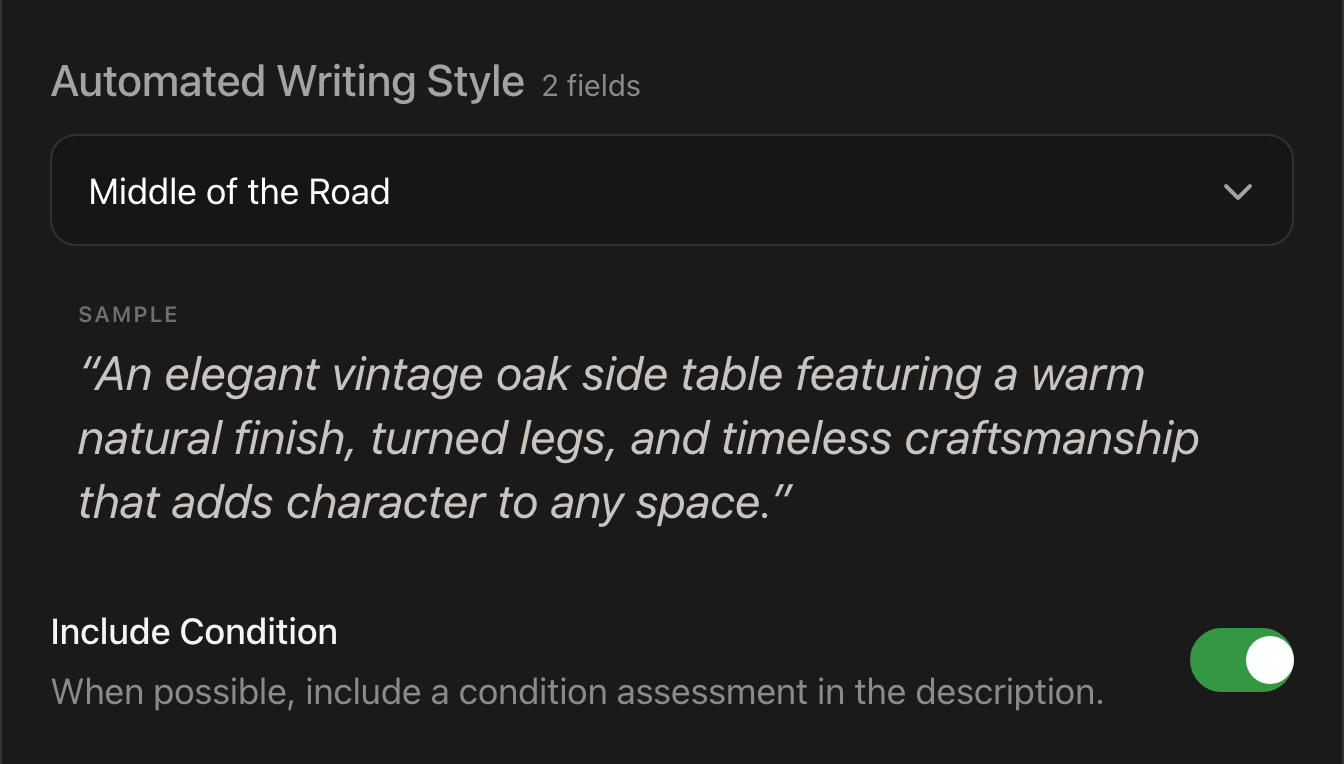
If a style you chose is withdrawn, you see This catalog's previously selected style is no longer available - the default is being used. Pick another to change it.
Use Rich-text (HTML) formatting
On: descriptions can use paragraphs, bold, italics and lists, and the Description field on each lot becomes a formatting editor. Off (the default): plain text. HiBid takes plain text only, so the switch does not appear on HiBid catalogs.
Include Condition
In Catalog Settings only, and on by default. Its hint reads When possible, include a condition assessment in the description. With it on, descriptions may mention working condition, age, authenticity, completeness or function. Turn it off if you state condition yourself or sell strictly as seen.
A photo cannot prove that an item works or is genuine. Check any condition claim before you export.
What LotJitsu never writes over
- Text you typed. The automatic writing after you add a lot leaves alone any field you have already typed in.
- Imported lots. Lots brought in with Import keep their imported text.
- Existing lots, after a settings change. A new style, or a change to rich text or Include Condition, affects new writing only.
To rewrite a field on purpose, use Auto Write on your phone or Generate using AI on your computer. These replace the field's current text, including yours. See Review the text LotJitsu writes.
Good to know
- Writing needs a connection. A lot added with no signal on your phone is written once it has been sent.
- Writing and rewriting do not count toward your monthly export allowance.
- A lot needs at least one photo before anything can be written.

