

Move to a lower paid belt. The change waits until the end of the period you have already paid for, so nothing changes today.
Want to stop paying altogether? See Cancel your plan.
Steps
- Log in on lotjitsu.com and go to lotjitsu.com/pricing (or click My Plan in your account menu). Your current plan's column reads Your Plan.
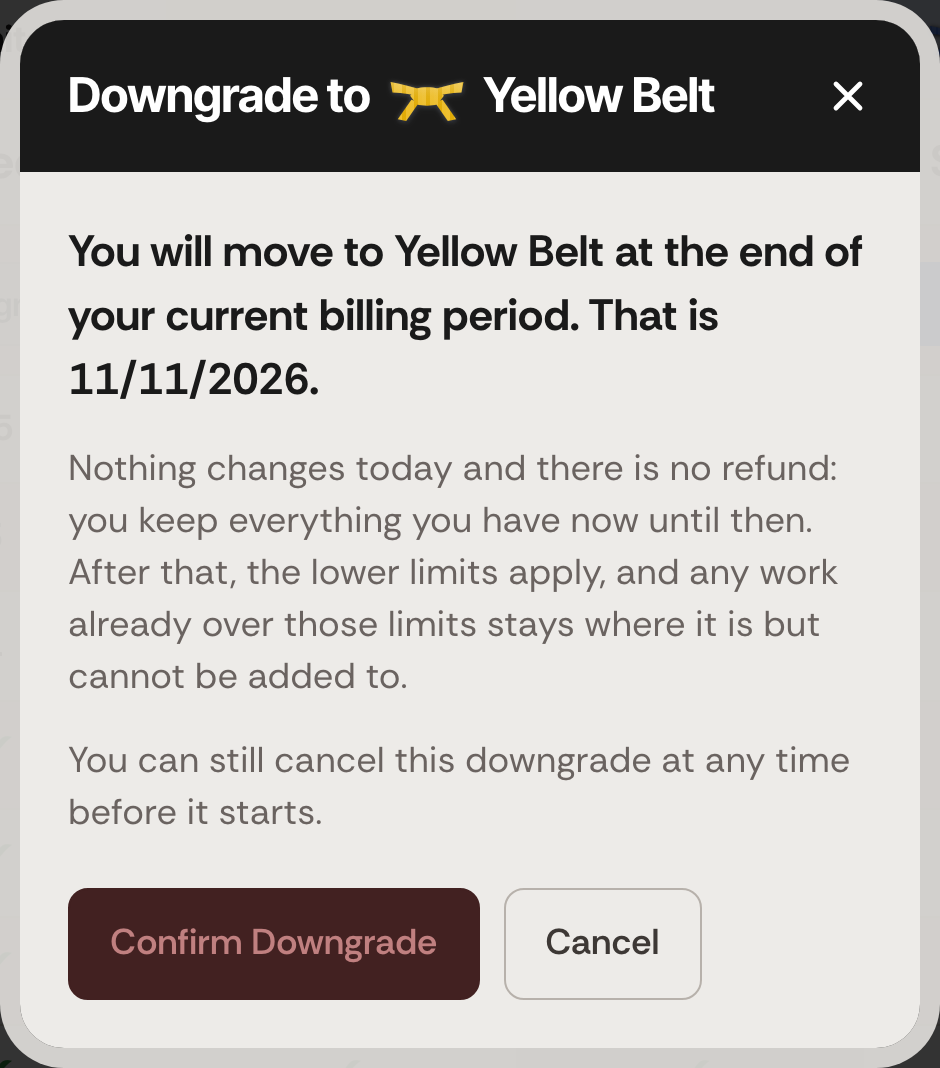
- Click Downgrade under the belt you want. A window headed Downgrade to and the belt's name opens.
- Read the date. The window says You will move to the new belt at the end of your current billing period. That is followed by the date.
- Click Confirm Downgrade. To back out, click Cancel instead.
Your current plan's column now reads Current. The lower belt's column reads Starts on and the date, with a Cancel Downgrade button under it.
Changed your mind?
Click Cancel Downgrade under the belt you scheduled, any time before the date. See Cancel a scheduled downgrade.
What happens next
- Nothing changes today, and there is no refund. You keep your current plan and its limits until the date shown. From then on you are charged the lower belt's price.
- Your billing period stays the same. A monthly plan stays monthly and a yearly plan stays yearly. See Monthly or yearly billing.
- Nothing is deleted. Your catalogs, lots, photos and collaborators all stay. If you have more than the lower plan allows, what you already have stays where it is, but you cannot add to it: no new photos on a lot that is at or over the new photo limit, and no new invitations while you are at or over the collaborator limit. See Photo and collaborator limits.
- Your export allowance gets smaller from the change date. Lots you exported before, and have not changed the photos of, still export free. See Your monthly export allowance.
- While a downgrade is scheduled, you cannot upgrade. Cancel the downgrade first.
- If the window says That change could not be scheduled., nothing has changed. Try again in a moment. If it keeps happening, please see Contact support: Ask Support and Support Chat.

