

Deleting your account is immediate and permanent. There is no grace period and no way to get the account back.
Using the phone app? See Delete your account in the app.
Before you start
- Want to keep your work? Export each catalog and download the packages, and download your data. See Download a copy of your data.
- Others work in your folders or catalogs? Deleting your account deletes everything you own, including what you share, and the people you share it with lose access. Let them export what they need first.
- Know your current password. You need it to delete. Created your account with Apple or Google, so it has no password? Set one first on your Profile. See Change your password on your computer.
- Have a paid plan? Deleting your account cancels it straight away, with no refund for the rest of the period you paid for.
Steps
- Click your photo or initial at the top right, then Settings.
- Find the red Delete account card and click Delete.
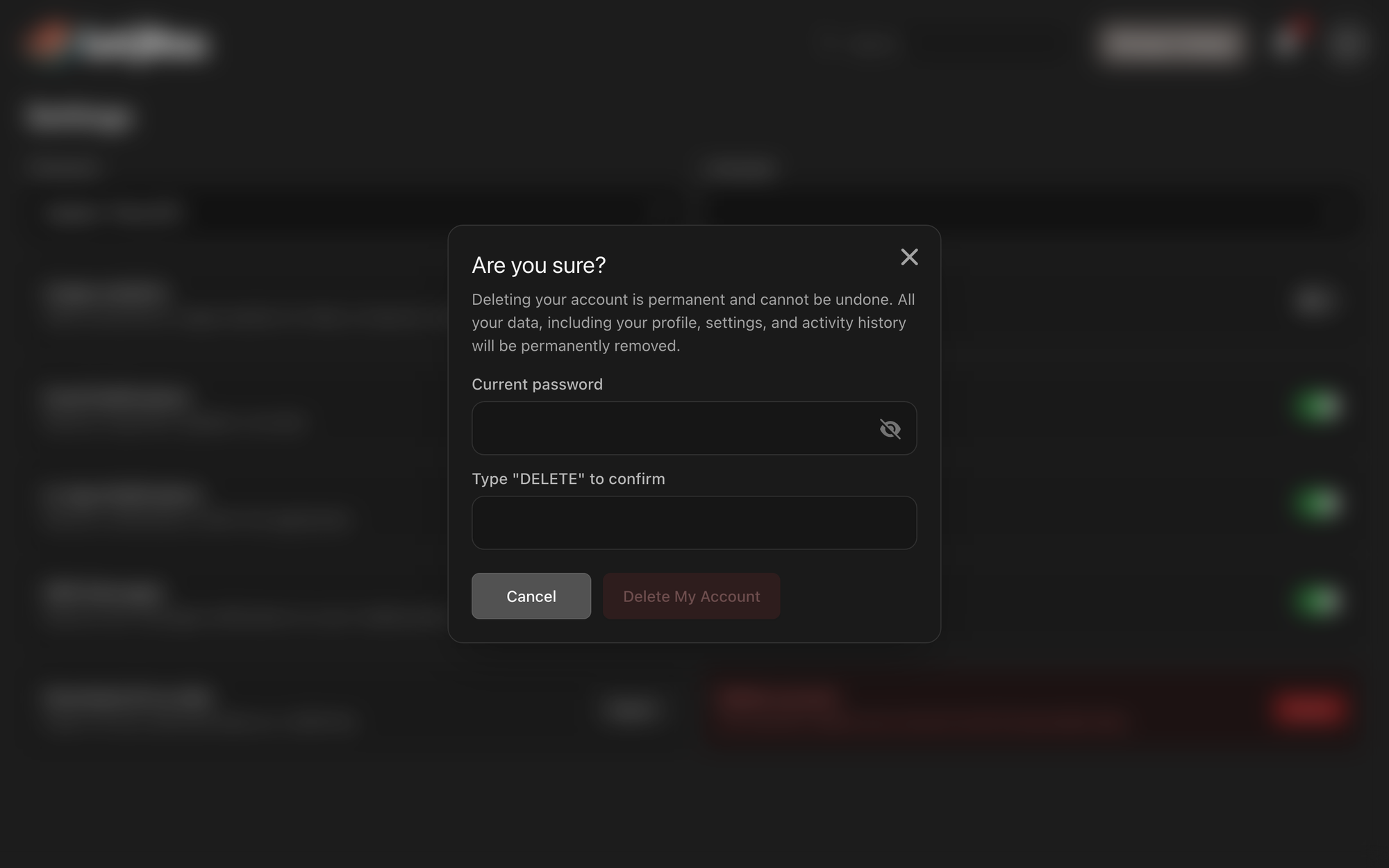
- Read the warning in Are you sure?: "Deleting your account is permanent and cannot be undone. All your data, including your profile, settings, and activity history will be permanently removed."
- Enter your password in Current password.
- In Type "DELETE" to confirm, type DELETE in capital letters.
- Click Delete My Account. It stays unavailable until both fields are filled in correctly.
You are logged out and taken to lotjitsu.com.
What deleting does
- Cancels your paid plan, if you have one, before anything else. There is no refund.
- Deletes every Folder, Catalog, Lot, photo and export package you own. People you shared them with lose access.
- Removes your profile: display name, photo, phone number and timezone.
- Replaces your email address and removes your password, so nobody can log in as you again.
- Ends every login on every browser and phone.
Good to know
- To back out, click Cancel.
- "The current password you entered is incorrect." means the password doesn't match. Reset it first if you've forgotten it.
- If your plan can't be cancelled, nothing is deleted and you see "We couldn't cancel your plan, so your account was not deleted. Please try again." Try again in a few minutes. If it keeps happening, contact support. See Contact support: Ask Support and Support Chat.

