

Using the phone app? See Standard or Fast Entry Mode on your phone.
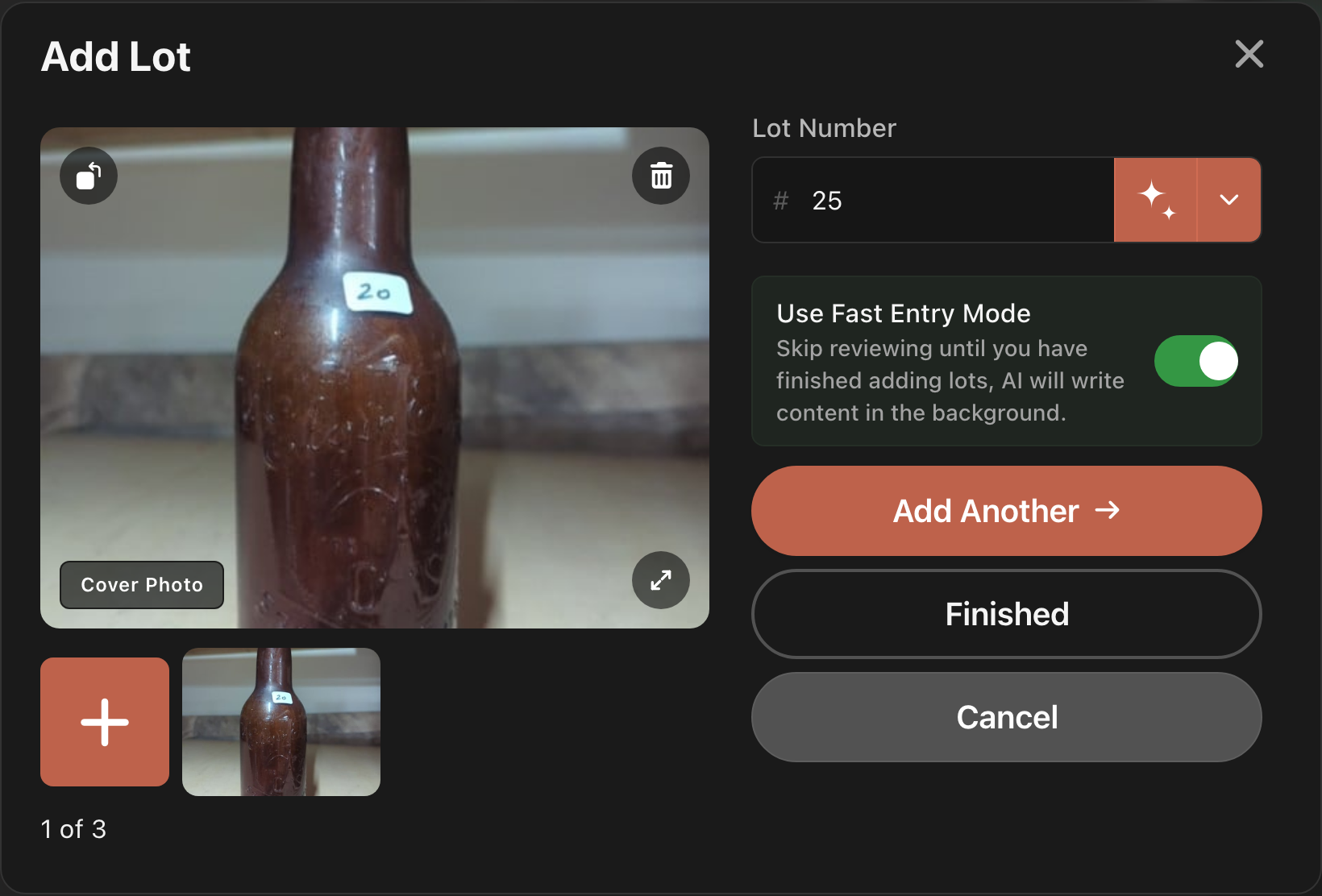
Fast Entry Mode skips the review step in the Add Lot window. Each lot is saved as soon as you add its photos and number, and LotJitsu writes its text in the background while you start the next one. It suits a long run of similar items.
Turn it on
- Open the catalog and click Add Lot (or Add First Lot).
- Under Lot Number, turn on Use Fast Entry Mode.
- The Continue button changes to Add Another, and a Finished button appears below it.
Add lots
- Add the lot's photos and check the Lot Number.
- Click Add Another, or press Enter. A message reads "Lot N added", the window clears, and the next number fills in.
- Repeat for each lot.
- When you are done, click Finished. It saves the lot on screen and closes the window. If the window is empty, it just closes.
Good to know
- The switch is saved to your account, so it is already on the next time you open Add Lot, on any computer.
- Turning Fast Entry Mode on also turns on Autofill future lots in the Lot Number menu, so each new lot gets a number straight away. Turning it off leaves that switch as it was.
- After each save, the lot's row on the catalog page is faded with a moving three-square symbol while its photos upload and its text is written. You can't open or delete it until it clears. The lot is already saved, so don't add it again.
- Keep the browser tab open until the faded rows clear.
- A number that is already used still opens the Lot N already exists screen. See Lot numbers on your computer.
- Cancel throws away the lot on screen and its photos. Lots you already added are kept.
- Review the text later by opening each lot. See Edit a lot on your computer.
- The switch's description reads "Skip reviewing until you have finished adding lots, AI will write content in the background."

