

Can't get in? Find the message you see below and follow the fix.
Where to log in
- On a computer: log in on lotjitsu.com. Click Log In at the top of the page. If you go to LotJitsu on your computer while logged out, you are sent to the same Log In window. See Log in on lotjitsu.com.
- On your phone: log in in the LotJitsu app. See Log in to the LotJitsu app.
Wrong email or password
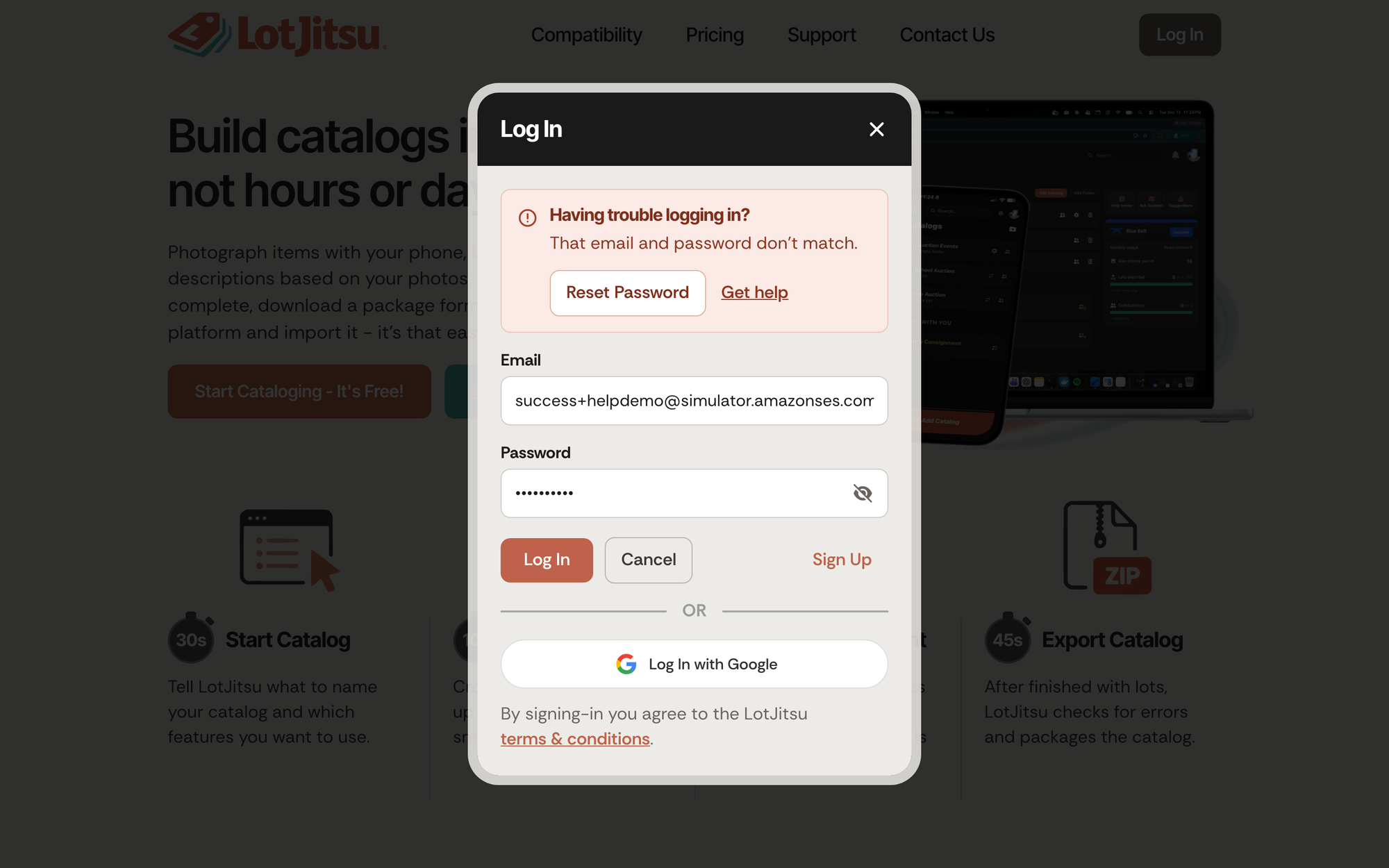
- On lotjitsu.com the Log In window shows Having trouble logging in? and That email and password don't match.
- In the app you see Incorrect email or password.
What to do:
- Check the email address for typos, and confirm it is the one you signed up with.
- Passwords are case-sensitive. Check Caps Lock.
- Still stuck? Reset your password. On lotjitsu.com, click Reset Password in the Having trouble logging in? panel. In the app, tap Reset Password at the bottom of the Log In screen. See Reset your password on lotjitsu.com or Reset your password in the app.
Your email is not verified yet
You see Your email still needs to be verified, please click the link in your email. on lotjitsu.com, or Verify your email in the app.
- Find the email from LotJitsu with the verification link. Check your spam folder.
- Click the link.
- If the email is missing or the link has expired, click Resend Email on lotjitsu.com, or tap Resend Verification Email in the app, and use the newest email.
See Verify your email address.
You also cannot reset the password of an address that has not been verified. You see We cannot reset the password for an email address that has not been verified. Resend verification now. Verify first.
Your account is locked
Your account has been locked due to too many failed login attempts. Please try again later.
Wait a while, then try again with the right password. Resetting your password while you wait is a good idea if you are not sure of it.
Your account is disabled
This account has been disabled. Please contact support.
Use the Contact Us page at lotjitsu.com/contact, which works without logging in. See Contact support: Ask Support and Support Chat.
You were logged out
Your session has expired. Please log in again. Log in again. This happens when you have not used LotJitsu for a while. In the app you may simply find yourself back on the Log In screen with no message.
Apple or Google
- An account already exists for this email. Log in with your password. (lotjitsu.com) or That email already has a LotJitsu account. Log in with your password, then link this sign-in method from Security. (app): you made your account with an email and password. Log in that way.
- The app says That sign-in option is not available on this device.: Log In with Apple works on iPhone and iPad only.
See Log in with Apple or Google.
Other messages
| Message | What to do |
|---|---|
| Too many requests. Please slow down and try again later. | Wait a minute, then try once. |
| An unexpected error occurred. Please try again later. | Try again in a moment. If it keeps happening, contact us. |
| We could not confirm that you are human. | Reload the page and try again. |
Still can't log in?
After a failed log in on lotjitsu.com, click Get help to open our Support page, or go to lotjitsu.com/contact. See Contact support: Ask Support and Support Chat.

