

Using a computer? See Change catalog settings on your computer.
Catalog Settings holds everything you chose when you created the catalog, plus a few extras. Use it to rename the catalog, switch platform, change which fields are collected and written, or delete the catalog.
Open Catalog Settings
- Open the catalog.
- Tap the gear icon at the right of the catalog's name. The Catalog Settings sheet opens.
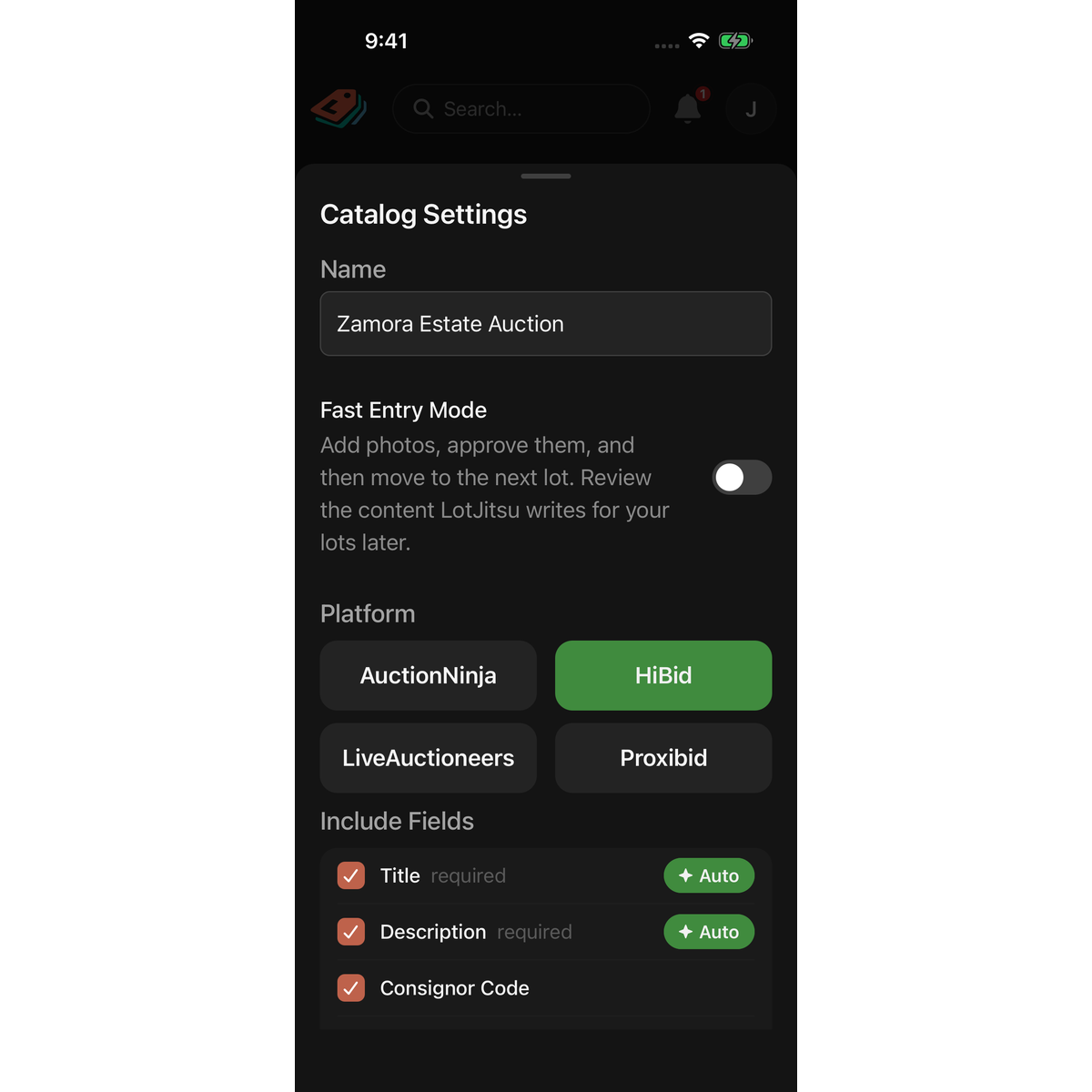
What you can change
From top to bottom:
- Name: the catalog's name.
- Fast Entry Mode: whether adding a lot goes straight to the next lot after the photos. This switch is saved on this phone only. See Standard or Fast Entry Mode on your phone.
- Platform: the platform you will upload to. See "Changing the platform" in Choose a platform and fields.
- Include Fields: which fields each lot collects, and which are written for you (Auto).
- Automated Writing Style: the tone of the text LotJitsu writes. Shown while at least one field is Auto.
- Use Rich-text (HTML) formatting: formatted or plain descriptions. Not shown for HiBid.
- Include Condition: whether descriptions include a condition assessment.
What the writing settings do: How LotJitsu writes your listings.
Save or cancel
Nothing changes until you tap Save. Cancel, swiping the sheet down, or tapping outside it throws away your changes. If a save fails, the sheet stays open with your changes so you can try again.
Rename a catalog quickly
If you own the catalog, press and hold its name at the top of the catalog page. A sheet opens with Rename and Delete catalog. Tap Rename, type the new name, and tap away to save.
If the catalog was shared with you, change Name in Catalog Settings instead.
Good to know
- Anyone who can open the catalog can change its settings, including collaborators.
- Delete at the bottom of the sheet deletes the whole catalog and its lots, after a confirmation. Only the catalog's Owner can delete it; for anyone else it fails with Could not delete catalog. See Delete a catalog, folder or lot on your phone.
- Two catalogs in the same folder, or two at the top level, cannot share a name.
- Settings changes apply to new writing only. Text already on your lots stays as it is.
- With no connection, you can still change settings; they are sent when you reconnect. The one exception is a platform whose fields this phone has never loaded: connect once first.

